
Space Invaders with JavaScript and HTML Canvas
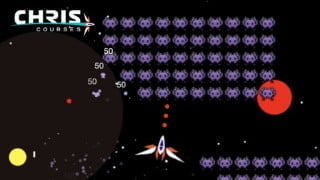

Learn how to create a custom variation of the classic game, Space Invaders, with this Code Space Invaders course. Enhance your game development skills using JavaScript and HTML5 canvas fundamentals. From setting up a development environment to deploying your game on GitHub pages, this course covers everything you need to know. Perfect for beginner game developers looking to improve their skills and gain a deeper understanding of game development.
What you’ll learn
- Setup a development environment
- Create and move a player’s spaceship
- Import game images
- Generate grids of enemy invaders at set intervals
- Shoot projectiles
- Remove enemies with precise collision detection
- Create bombs that explode multiple invaders at once
- Obtain machine gun power-ups that alter your rate of fire
- Make enemies progressively harder
- Add particle animations that follow your spaceship
- Develop a game UI using HTML and CSS
- Start and end screens with a restart button
- Add custom sound effects and music
- Code consistent frame rates for all types of monitors
- Deploy to GitHub pages
Show moreShow less
PLEASE READ: This is a freemium course—the first 2 1/2 hours are free (you can watch right here on Udemy [or YouTube] with each video’s “Preview” button), while the remaining 3 hours require course purchase. I’ve always been a big advocate of spreading the basics to as many people as possible, as I believe knowledge and personal growth are some of the best ways to better our world as a whole. Enjoy.
Welcome to the Code Space Invaders course, where you will learn how to create a custom variation of the classic game, Space Invaders. We’ll use JavaScript and HTML5 canvas fundamentals to progressively enhance your game development skills, and go all the way ’til you have a full-blown Space Invaders game live on the web.
My name is Christopher Lis, and I’m an award-winning Full-Stack Engineer with over ten years of web development experience. I’ve directly worked with clients like Harvard University, The Basketball Tournament, and premium award-winning agencies like Brave People.
The goal of this course is to give you the skillset required to code your own JavaScript games from scratch. Many game dev fundamentals are covered in this course, and much of what you’ll learn uses hand-written math functions rather than hidden away abstractions that game dev libraries typically provide.
In this course, you’ll learn everything from:
Setup a development environment
Create and move a player’s spaceship
Import game images
Generate grids of enemy invaders at set intervals
Shoot projectiles
Remove enemies with precise collision detectionk
Create bombs that explode multiple invaders at once
Obtain machine gun power-ups that alter your rate of fire
Make enemies progressively harder
Add particle animations that follow your spaceship
Develop a game UI using HTML and CSS
Start and end screens with a restart button
Add custom sound effects and music
Code consistent frame rates for all types of monitors
Deploy to GitHub pages
And so much more.
If you’re serious about taking your game dev skills to the next level, then let me guide you through the full production of a 2D Space Invaders game that’s ready for production launch.
Who this course is for:
- Beginner game devs looking to bolster their skills and better understand game development in general
User Reviews
Be the first to review “Space Invaders with JavaScript and HTML Canvas”
You must be logged in to post a review.




There are no reviews yet.