
Create a Mini Map in Unreal Engine 5
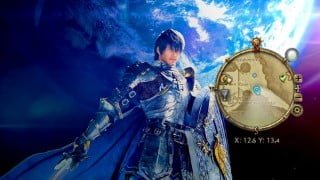

Learn Blueprints in Unreal Engine 5 and create stunning Mini Maps with the style of Final Fantasy XIV. This tutorial covers UI creation, Blueprint communication, and advanced topics. Perfect for beginner game developers.
What you’ll learn
- Learn Blueprints in Unreal Engine 5
- Learn how to create User Interfaces
- Learn how to do Blueprint Communication
- Learn to create a Mini Map for your own game
Learn how to create a Mini Map with the style of Final Fantasy XIV in Unreal Engine 5! This complete tutorial will not only show you all the concepts behind creating Mini Maps but, we will also make it complete by applying Materials and UMG elements to make it look nice!
We will analyze how Mini Maps works in games and what is the approach we can take to create one of ours.
We will proceed to create our Blueprints, the visual programming language for Unreal Engine designed both for programmers and artists to be able to program everything inside Unreal.
Then we will learn how to create User Interfaces by using UMG, Unreal Engine’s system to create HUDs and interfaces to create our Mini Map.
We will also learn how to create a Material that our Interface can use to show the level on runtime while we play.
Then we will touch more advanced topics such as Blueprint communication, to create a Blueprint that can communicate with other classes. This topic is of highly importance and must be learnt if you want to create your own game. With this example you will be able to understand how other Blueprints communicate between one another and create more complex mechanics for your game.
Who this course is for:
- Beginner Game Developers who want to learn Blueprints in Unreal Engine 5
User Reviews
Be the first to review “Create a Mini Map in Unreal Engine 5”
You must be logged in to post a review.




There are no reviews yet.