
How to Make a Retro Style 3D FPS in the Godot Game Engine
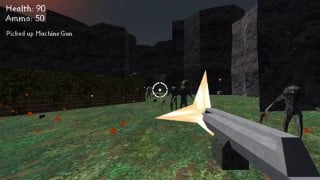

this course: Learn how to create a fast-paced old school 3D FPS game in Godot. Master character control, implement various weapons, AI, pathfinding, GUI, and particle effects. Perfect for beginner game developers.
What you’ll learn
- How to implement a fast paced old school first person character controller in Godot
- How to fully implement a machine gun, shotgun, sword, and rocket launcher in Godot
- How to implement basic artificial intelligence in Godot
- How to use pathfinding in Godot
- How to implement basic GUI in Godot
- How to use particle effects in Godot
In this course you’ll learn how to make an old school fast paced 3D FPS in the Godot Game Engine.
I’ll cover how to set up an environment and lighting, make player movement, create four guns: a machete, shotgun, machine gun, and rocket launcher, make two enemies, one melee and one range, with pathfinding and basic ai, create particle effects for explosions and smoke trails, create animations for weapons, create ammo, health, and weapon pickups, and set up a basic hud for the player
Who this course is for:
- Beginner Game Developers
User Reviews
Be the first to review “How to Make a Retro Style 3D FPS in the Godot Game Engine”
You must be logged in to post a review.
×



There are no reviews yet.