
MySQL Database Backup and Restore for beginners
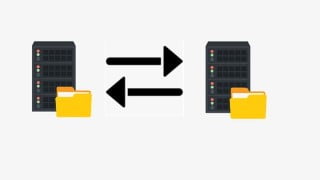

this article: Learn how to backup and restore MySQL databases with mysqldump. Safeguard your data and prevent loss or corruption with regular backups.
What you’ll learn
- Identify Backup and Recovery Types
- Setup Backup Recovery Directory
- Backup databases with mysqldump
- Restore database with mysqldump
- Backup single table
- Restore table from backup
MySQL is one of the most recognizable technologies in the modern big data ecosystem. Often called the most popular database and currently enjoying widespread, effective use regardless of industry, it’s clear that anyone involved with enterprise data or general IT should at least aim for a basic familiarity of MySQL.
With MySQL, even those new to relational systems can immediately build fast, powerful, and secure data storage systems. MySQL’s programmatic syntax and interfaces are also perfect gateways into the wide world of other popular query languages and structured data stores.
In MySQL server administration, it is important to safeguard your data in case of human error or a system failure. To accomplish this, MySQL provides the ability to create backups of databases and tables.
There may be situations when data gets lost or corrupted, for example, when users accidentally deleted or overwrote data. For these reasons, it is recommended to make a backup on a regular basis. Through this process, you can ensure data consistency in your databases and be sure that nothing critical happens to your data and it won’t be lost irrevocably. In addition, data backup helps keep data up-to-date and allows you to restore it at any time in the state you back it up before the data was damaged.
mysqldump is a command-line utility used to generate a MySQL logical database backup as a single .sql file with a set of SQL statements. The utility helps you dump MySQL tables, multiple databases, or their objects. Keep in mind that it is not possible to back up MySQL databases or data to separate .sql files with the mysqldump utility.
Who this course is for:
- Beginners to MySQL Database Backup and Restore
User Reviews
Be the first to review “MySQL Database Backup and Restore for beginners”
You must be logged in to post a review.




There are no reviews yet.