
Google Sheets for Entrepreneurs & Small Businesses
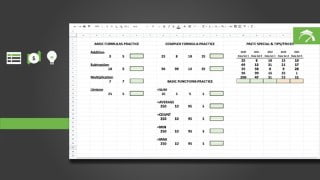

Learn how to use Google Sheets to create powerful business solutions for your small business or startup. Build a five-year financial model and a detailed operating budget from scratch. Perfect for business professionals, small business owners, and entrepreneurs. Get ready to deploy Google Sheets into your business with two working templates. Join our hands-on course now!
What you’ll learn
- Exposure to Google Drive & Google Applications
- Build a Five Year Financial Model From SCRATCH!
- Build a Twelve (12) Month Operating Budget From SCRATCH!
- Learn Google Sheets Structure
- Master Spreadsheet Formulas
- Master Spreadsheet Functions
- Deep dive into Spreadsheet Formatting
- Understand how to use Spreadsheet Shortkeys
- Learn Spreadsheet Navigation
- Converting & Uploading Spreadsheets to Google Drive
Welcome to GOOGLE SHEETS for ENTREPRENEURS & SMALL BUSINESS OWNERS!
This is a HANDS ON, working course. So, although its short, its POWERFUL. We’ll cover Google Drive, Google Sheets and how to use this dynamic tool to create business solutions for your small business or startup (heck, it even works for big businesses!). The two tools that we’ll build FROM SCRATCH are:
A Five Year Financial Model
A Detailed Operating Budget
We’re going to cover EVERYTHING you need in this course to be successful:
Chapter 3, we’re going to cover the basics and getting started with Google Drive.
Chapter 4, we’re going to cover the basics of Google Drive and Spreadsheets. How to upload them, convert them and the four ways that you can work on them.
Chapter 5, we’re going to cover the Spreadsheet structure and how to use the shortcut commands and the menu bar to make your life easier.
Chapter 6, we’re going to cover cover how you can format rows, columns and sheets!
Chapter 7, we’ll continue the formatting fun and we’ll cover formatting everything using the formatting bar.
Chapter 8, we’ll explore the power of formulas and how they can be used in spreadsheets.
Chapter 9, we’ll wrap things up with a conversation on functions and we’ll use the most common ones.
This is where things get fun! We’ll take everything we’ve learned and we’ll build the two tools I mentioned above. We’ll first build a five year financial model and we’ll finish the course by building a Detailed Twelve (12) Month Operating Budget.
The Result:
You’ll be ready to deploy Google Sheets into your business. You’ll have two working templates that you can use however and wherever you want! Its going to be a fun course.
We’ll see you in class.
Who this course is for:
- Business Professionals
- Small Business Owners
- Entrepreneurs
User Reviews
Be the first to review “Google Sheets for Entrepreneurs & Small Businesses”
You must be logged in to post a review.




There are no reviews yet.