
Building Time: Create Gantt Charts that Get Things Done
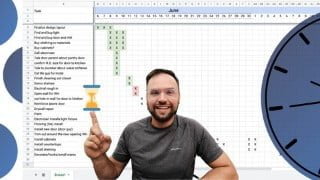

Learn how to build a schedule from scratch using Google Sheets! This course teaches you how to plan and organize activities in a Gantt chart style, with formatting techniques and tips for editing and changing your schedule. Perfect for beginners in any industry, create a custom schedule to track your project effectively.
What you’ll learn
- How to setup and build a schedule from scratch
- How to actually plan activities in order and organize them correctly in a Gantt chart style.
- Formatting techniques for giving plenty of info without adding visual clutter
- How to edit and change your schedule when the ideal plans don’t work out! (This always happens!)
This class teaches you how to build a schedule from scratch using Google Sheets! You can start with no experience as a beginner and end with a working knowledge of Google Sheets and scheduling. We will build a Gantt chart-style schedule from start to finish so you will end the course with a schedule of your own to track your current project. (Or a theoretical one that you WANT to track!) The existing online courses on scheduling are typically dry, slow, and are not suited for beginners. This course changes that!
Brendan has used this kind of schedule to track dozens of commercial construction projects over the last 10 years of his career. This is the class he wishes he had back in 2014 when re-entering the construction field. It shares the foundational elements of the tools and techniques to build an effective and clear schedule as quickly as possible. A detailed and clear schedule increases the speed of any project and helps everyone involved to be efficient and come away satisfied.
In this class you’ll learn:
How to get access to Google Sheets for free
How to set up and build a schedule
How to actually plan activities in order and organize them correctly in a Gantt chart style.
Formatting techniques for giving plenty of info without adding visual clutter
How to edit and change your schedule when the ideal plans don’t work out! (This always happens!)
You’ll be creating:
A custom schedule to track your own project accurately and simply.
Why make a schedule?
Scheduling keeps your project on track whether that’s a $3 million construction project or a plan to clean out the garage over spring break this year. Anything that has more than 10 steps to it and relies on one action following another step by step deserves a proper schedule to have high quality and the fastest possible finishing date! So why are we using Google Sheets and not a fancy, purpose-built scheduling program?
Why Google Sheets?
Google Sheets is an incredible way to make a schedule. After using 5 different dedicated programs for scheduling, Brendan has circled back to the simplicity and ease of Google Sheets for his professional work. Here’s why:
It’s free
It’s faster than other programs
It’s simple for other people to pick up and interpret
It’s highly customizable
It’s perfectly integrated to mobile devices like phones and tablets
It speaks a common language of the business word which is: the language of spreadsheet
Exports to excel well if you need that option
It is effective in practice
Do I need to be a spreadsheet expert to do this?
No! This course is built for anyone who wants to learn how to build a schedule and teaches everything you need to know to get started, even if you’ve never used a spreadsheet before!
Let’s get started!
Who this course is for:
- For anyone who needs to learn to schedule using a Gantt chart style.
- For someone planning a detailed activity with more than 20 steps
- For someone in the construction industry needing to plan a project
- For someone in the software industry planning a sequence of work with many steps
- Construction Professionals
User Reviews
Be the first to review “Building Time: Create Gantt Charts that Get Things Done”
You must be logged in to post a review.



There are no reviews yet.