
Power BI Dashboard for beginners
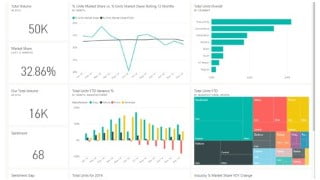

Learn to connect, transform, and visualize data in Power BI Desktop. Create compelling visuals and share dashboards for informed business decisions. Perfect for beginners to Power BI.
Learn to connect to data in Power BI desktopTransform and model the data you importBuild basic visualizationsCreate and share a dashboardDiscover how to collaborate in Power BIDashboards in Power BI are one-page collections of visualizations that are created from within the Power BI service (online). You can create dashboards by pinning visuals from reports.We all live in a data culture where business decisions are based on facts, not opinions. We need data to help us make these decisions. Power BI Desktop is a free application for PCs that lets you gather, transform, and visualize your data. Power BI Desktop and the Power BI Service work together. You can create your reports in Power BI Desktop and then publish them to the Power BI Service for others to consume.Power BI Desktop connects to many types of data sources, including local databases, worksheets, and data on cloud services. Sometimes when you gather data, it’s not quite as structured, or clean, as you want it to be. To structure data, you can transform it, meaning that you can split and rename columns, change data types, and create relationships between columns.You can connect Power BI Desktop to many types of data sources, including on-premises databases, Microsoft Excel workbooks, and cloud services. Currently, there are over 110 Power BI-specific connectors to cloud services such as GitHub You can also connect to generic sources through XML, CSV, text, and ODBC. Power BI will even extract tabular data directly from a website URL.Data doesn’t always come into your report clean, or ready to use. You may need additional columns or to rename or hide existing columns. You may have multiple data sources and need to define a relationship between them. All of these tasks are known as data transformation.Visuals allow you to present data in a compelling and insightful way and help you to highlight the important components. Power BI has many compelling visuals and many more are released frequently.Who this course is for:Beginners to Power BI
User Reviews
Be the first to review “Power BI Dashboard for beginners”
You must be logged in to post a review.





There are no reviews yet.