
Microsoft Power BI for Beginners

Learn how to set up, connect, and analyze data using Power BI. Create visualizations, reports, and dashboards for effective business intelligence.
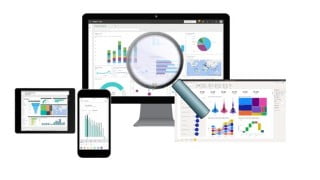
Setup Power BI EnvironmentConnect to Data sourceLoad DataCreate visualizations and chartsAnalyse DataCreate reportsPublish report to power BI ServiceCreate dashboardsConnect Power BI to SQL Server DatabasePower BI is an interactive data visualization software developed by Microsoft with primary focus on business intelligence. Power BI is a collection of software services, apps, and connectors that work together to turn your unrelated sources of data into coherent, visually immersive, and interactive insights. Your data may be an Excel spreadsheet, or a collection of cloud-based and on-premises hybrid data warehouses. Power BI lets you easily connect to your data sources, visualize and discover what’s important, and share that with anyone or everyone you want.Power BI consists of several elements that all work together, starting with these three basics:A Windows desktop application called Power BI Desktop.An online SaaS (Software as a Service) service called the Power BI service.Power BI mobile apps for Windows, iOS, and Android devices.These three elements—Power BI Desktop, the service, and the mobile apps—are designed to let you create, share, and consume business insights in the way that serves you and your role most effectively.How you use Power BI may depend on your role in a project or on a team. Other people, in other roles, might use Power BI differently.For example, you might primarily use the Power BI service to view reports and dashboards. Your number-crunching, business-report-creating co-worker might make extensive use of Power BI Desktop or Power BI Report Builder to create reports, then publish those reports to the Power BI service, where you view them. Another co-worker, in sales, might mainly use the Power BI phone app to monitor progress on sales quotas, and to drill into new sales lead details.If you’re a developer, you might use Power BI APIs to push data into datasets or to embed dashboards and reports into your own custom applications. Have an idea for a new visual? Build it yourself and share it with others.You also might use each element of Power BI at different times, depending on what you’re trying to achieve or your role for a given project.Who this course is for:Beginners to Power BI
User Reviews
Be the first to review “Microsoft Power BI for Beginners”
You must be logged in to post a review.





There are no reviews yet.