
QuickBooks Online for Beginners: Small Business & Bookkeeper
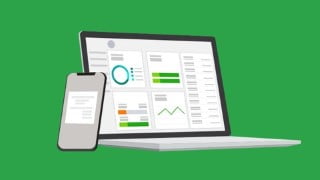

Learn how to set up and use QuickBooks Online for your business. This comprehensive course covers everything from creating a company file to advanced topics like payroll and generating reports. Perfect for small business owners or those managing QuickBooks for a small business. Get started today!
How to create your company file in QuickBooks OnlineWork with QuickBooks Online preferences to set up for your businessSet up and use a chart of accounts in QuickBooks OnlineReconcile your checking account and bank statements in QuickBooks OnlineCreate a budget and estimates and learn to work with customers and jobsEnter and pay bills in QuickBooks OnlineLearn all about how to account for loans in Quickbooks OnlineGenerate reports for clients or your own businessLearn to work with sales tax and reconcile bank statements in QuickBooks OnlineCreate Reports in QuickBooks OnlineRun Payroll in QuickBooks OnlineShow moreShow less**Course Updated**April 2021 – QuickBooks Online – Advanced Topics addedIf you’re brand new to QuickBooks and specifically, QuickBooks Online, then this is the course for you!In this QuickBooks Online course, we introduce you to this essential cloud accounting software. QuickBooks Online looks different to the traditional QuickBooks desktop software. We’ve developed this course specifically for QuickBooks Online users.In this QuickBooks Online course, We start at the very beginning and cover everything that’s required to get set up in QuickBooks Online before moving onto more advanced features. This course includes two parts, a beginners course and a more advanced QuickBooks Online course!Part 1 – QuickBooks OnlineIn this course you will learn:How to create a company file and set up your chart of accountsSetting up your preferences in QuickBooks® to suit your companyCreate invoices, enter and pay bills and purchase ordersAll about estimates and working with customers and jobsHow to work with sales taxAbout receiving items, inventory, creating purchase orders, and paying for itemsHow to reconcile bank statementsHow to set up recurring items and journal entriesPart 2 – QuickBooks Online – Advanced TopicsThis QuickBooks Online course introduces you to more advanced topics available in this impressive accountancy software. This course is suitable for Bookkeepers, Accountants/CPAs, or small business owners handling their books.In this course, you will learn:How to create and access forms in QuickBooks OnlineAll about how to edit forms in QuickBooks OnlineAbout generating reports, customizing reports, and memorizing reportsAll about audit trails in QuickBooks OnlineHow to adjust sales tax settings, including adjusting tax rates on invoicesHow to set up and run Payroll on QuickBooks OnlineHow to use the Mail Merge function in QuickBooks OnlineHow to set up reminders and automatic or recurring entriesHow to use Projects in QuickBooks OnlineAbout dealing with unusual depositsHow to work with errors and refundsHow to write off bad debts in QuickBooks OnlineHow to create monthly statementsHow to deal with advanced vendor issues such as pre-paid expensesThis course includes:7+ hours of video tutorials100+ individual video lecturesCertificate of completionCourse CompatibilityThis course was recorded using the QuickBooks Online edition. This course won’t be suitable for you if you are using QuickBooks Desktop.This course was designed for people new to QuickBooks Online but the advanced section may also be useful for students with some QuickBooks experience who are looking to improve their knowledge of this essential accounting software.Here’s what our students are saying…Very thorough course with all the ins-outs, tips, tricks, and feature you could want to learn about to start using the program.- Elizabeth BindeAmazing, above expectations course with a very knowledgeable teacher !- Muhammad KhanGreat! Got both desktop computer screens up so am watching on one screen and setting up and executing on the other.- Diane BakerWho this course is for:Small business owners or those managing QuickBooks for a small business.If you own a small business, freelance as a bookkeeper, or simply manage your company’s accounts in QuickBooks, you’ll love this straightforward and up-to-date course!
User Reviews
Be the first to review “QuickBooks Online for Beginners: Small Business & Bookkeeper”
You must be logged in to post a review.



There are no reviews yet.