
QuickBooks Pro & QuickBooks Online – 4 Course Bundle
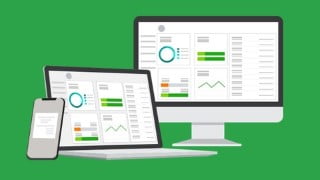

Learn how to create your company file in QuickBooks through the Desktop and Online versions. This comprehensive course covers everything from setting up preferences and chart of accounts to reconciling bank statements and creating invoices. Whether you’re a small business owner or a bookkeeper, this course will help you navigate QuickBooks and optimize your accounting processes. Get started today and take control of your financial management with QuickBooks.
How to create your company file in QuickBooks through Desktop and Online versionsWork with preferences in QuickBooks to set up for your businessSet up and use a chart of accounts in QuickBooks Online and ProReconcile your checking account and bank statements in QuickBooksCreate and print invoices, receipts and statementsTrack your payables, inventory and receivablesCreate a budget and estimates and learn to work with customers and jobsEnter and pay bills in QuickBooks Online or ProLearn all about how to account for loans in QuickbooksRun Payroll in QuickBooks Online or ProCreate Reports in QuickBooks Online or QuickBooks ProLearn how to deal with Sales Tax in QuickBooks Online or ProShow moreShow lessWhether you are using the Online version of QuickBooks or the Desktop Pro version, we have you covered with this four-course 2020, 2021 bundle! **Course Updated**April 2021 – QuickBooks Pro 2021 addedApril 2021 – QuickBooks Online – Advanced Topics addedThis QuickBooks course covers both QuickBooks Online, QuickBooks Pro 2020, and QuickBooks Pro 2021. It includes four, full-length QuickBooks courses:QuickBooks Pro 2020QuickBooks Pro 2021QuickBooks OnlineQuickBooks Online – Advanced TopicsWhether you are using QuickBooks Online or QuickBooks Desktop, we cover both in this one Udemy course to give even more value. Below are the details of what is covered in each.QuickBooks Pro 2021This QuickBooks 2021 course covers essential QuickBooks functions, such as, setting up a Chart of Accounts and Company File, dealing with expenses, invoicing, estimates, reconciling with the bank, Payroll, reporting, and so much more.It also includes detail on the features new to QuickBooks 2021: Advanced Mode in Bank Feeds, scanning receipts with the QuickBooks Desktop app, and sending automatic statement and invoice reminders to customers.This course was developed in a way to be helpful to bookkeepers, accountants, CPA’s, or business owners.In this course, you will learn:How to navigate QuickBooks 2021How to create a chart of accountsHow to set up your company file in QuickBooksHow to reconcile bank statements and Bank FeedsHow to use the Advanced Mode in Bank FeedsHow to manage expenses in QuickBooks, including mileageHow to scan in receipts with the QuickBooks Desktop mobile appHow to set up automatic statement and invoice remindersHow to customize QuickBooks to your needsHow to use the QuickBooks Payroll functionalityHow to invoice, and enter bills, and purchase ordersHow to create estimates in QuickBooksHow to manage customers and jobs in QuickBooksHow to work with sales tax in QuickBooksAbout inventory, creating purchase orders, and paying for items.How to deal with checks and credit card accountsAbout using QuickBooks to produce reportsTo back up your QuickBooks company dataQuickBooks Pro 2020In this QuickBooks Pro 2020 course, we take you on a journey from QuickBooks novice to QuickBooks expert in 8 hours.Your certified QuickBooks Pro Advisor will show you important features from how to set up correctly in QuickBooks through to tracking mileage and running payroll. This comprehensive QuickBooks 2020 course starts at the very beginning and assumes no prior knowledge.In this part of the course you will learn:How to navigate the QuickBooks® 2020 interfaceTo create a company file and set up your chart of accountsSetting up your preferences in QuickBooks® to suit your companyAll about processing payroll and payroll taxesCreate invoices, enter and pay bills and purchase ordersAll about estimates and working with customers and jobsHow to work with sales taxAbout receiving items, inventory, creating purchase orders and paying for itemsHow to reconcile bank statementsHow to deal with checks and credit card accountsAll about Quick Reports and customizing reportsTo back up your company dataCreate stunning reports that visualize your company financial dataWorking with automated payment reminders (new in 2020)How to deal with vehicle mileageQuickBooks OnlineIn this QuickBooks Online course, we introduce you to this essential cloud accounting software. QuickBooks Online looks different from the traditional QuickBooks desktop software (which we also cover in this two-course edition!). We’ve developed this course specifically for QuickBooks Online users.In this QuickBooks Online course, We start at the very beginning and cover everything that’s required to get set up in QuickBooks Online before moving onto more advanced features.In this part of the course you will learn:How to create a company file and set up your chart of accountsSetting up your preferences in QuickBooks® to suit your companyCreate invoices, enter and pay bills and purchase ordersAll about estimates and working with customers and jobsHow to work with sales taxAbout receiving items, inventory, creating purchase orders, and paying for itemsHow to reconcile bank statementsHow to set up recurring items and journal entriesQuickBooks Online – Advanced TopicsThis QuickBooks Online course introduces you to more advanced topics available in this impressive accountancy software. This course is suitable for Bookkeepers, Accountants/CPAs, or small business owners handling their books.In this course, you will learn:How to create and access forms in QuickBooks OnlineAll about how to edit forms in QuickBooks OnlineAbout generating reports, customizing reports, and memorizing reportsAll about audit trails in QuickBooks OnlineHow to adjust sales tax settings, including adjusting tax rates on invoicesHow to set up and run Payroll on QuickBooks OnlineHow to use the Mail Merge function in QuickBooks OnlineHow to set up reminders and automatic or recurring entriesHow to use Projects in QuickBooks OnlineAbout dealing with unusual depositsHow to work with errors and refundsHow to write off bad debts in QuickBooks OnlineHow to create monthly statementsHow to deal with advanced vendor issues such as pre-paid expensesWhat people are saying about QuickBooks courses from Simon Sez IT:The format for this course is making the assumption that you are in the business world and want information that you can instantly apply. I feel Cindy does a great job of cutting to the meat of the matter and doesn’t waste a lot of time on the extra bells and whistles that very few people will find useful.- DEANNE RYANGreat explanation and easy to follow. Great instruction from Cindy – MELISSA SUPERNORSo far, I am enjoying this course. It has reached and exceeded my expectations, the speaker has a wonderful, clear voice that does not make me drowsy, and explains things fully. I would recommend to anyone wanting to learn ALL about Quickbooks. 10/10 – YELTZIN ARISTID GOMEZ VENEGASThis is a great intro for a new QB user. I could have used less info in some places (how to edit a field and other things that are intuitive if you are comfortable on a PC) and more info in others (more general process, how-tos, and a few basic accounting principles for a better understanding of what QB can and should do.) Also, if you skip the modules on topics you think aren’t relevant, you may miss some useful information about the software features. The instructor is easy to understand and pleasant to listen to. – MARGARET W. SEICSHNAYDRE I have had to restart my QuickBooks company file twice now, and finally just decided that it was time for some lessons. I am only a couple of videos in and have learned many tricks that I was unaware of before. I look forward to the video lectures to come and the useful information within. – KATRINA BIGGSI am so glad that it is for beginners like me because I want to fully understand the concept from the very start of Quickbooks. Thank You – JUDITH DELUCAThis bundle includes:25+ hours of video tutorials290+ individual video lecturesCertificate of completionCourse CompatibilityThis course was recorded using QuickBooks Pro Desktop 2020, and 2021 editions, and QuickBooks Online (in 2020 and 2021). Much of what is shown is also available in older versions of QuickBooks as well as the other desktop editions (Premier, Enterprise).This course was designed for people new to QuickBooks but may also be useful for students with some QuickBooks experience who are looking to improve their knowledge of accounting software.Who this course is for:Small business owners or those managing QuickBooks for a small business.If you own a small business, freelance as a bookkeeper, or simply manage your company’s accounts in QuickBooks, you’ll love this straightforward and up-to-date course!
User Reviews
Be the first to review “QuickBooks Pro & QuickBooks Online – 4 Course Bundle”
You must be logged in to post a review.





There are no reviews yet.