
QuickBooks 2021 Desktop: Beginner-Advanced Masterclass
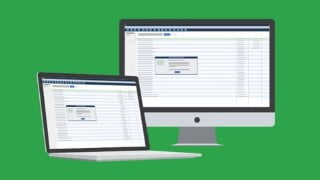

Learn how to set up your company file, work with QuickBooks preferences, create estimates and invoices, reconcile bank statements, and more in this comprehensive QuickBooks Pro 2021 course. Perfect for beginners or existing users, become an expert in just 8 hours!
How to set up your company fileWorking with QuickBooks preferencesSetup the chart of accounts in QuickBooksWorking with customers and jobs and create estimatesCreating and Sending invoicesEntering and paying bills in QuickBooksReconciling bank statements in QuickBooksWorking with loans in QuickBooksUsing reports to provide you the information requiredLearn all about how to account for loans in Quickbooks OnlineGenerate reports for clients or your own businessCreate and print invoices, receipts and statementsTrack your payables, inventory and receivablesCreate a budget and estimates and learn to work with customers and jobsNew features of QuickBooks Desktop Pro 2021Show moreShow lessThe perfect course for beginners or existing QuickBooks users updating to QuickBooks Pro 2021. Go from novice to expert in 8 hours!In this QuickBooks Pro 2021 course, we start at the very beginning and guide you through you how to put QuickBooks to work.This isn’t our first QuickBooks course, in fact, we’ve produced a new QuickBooks Pro Desktop course each year for the last ten years – we know QuickBooks and we know how to teach it!This QuickBooks 2021 course covers essential QuickBooks functions, such as, setting up a Chart of Accounts and Company File, dealing with expenses, invoicing, estimates, reconciling with the bank, Payroll, reporting, and so much more.It also includes detail on the features new to QuickBooks 2021: Advanced Mode in Bank Feeds, scanning receipts with the QuickBooks Desktop app, and sending automatic statement and invoice reminders to customers.This course was developed in a way to be helpful to bookkeepers, accountants, CPA’s, or business owners.In this course, you will learn:How to navigate QuickBooks 2021How to create a chart of accountsHow to set up your company file in QuickBooksHow to reconcile bank statements and Bank FeedsHow to use the Advanced Mode in Bank FeedsHow to manage expenses in QuickBooks, including mileageHow to scan in receipts with the QuickBooks Desktop mobile appHow to set up automatic statement and invoice remindersHow to customize QuickBooks to your needsHow to use the QuickBooks Payroll functionalityHow to invoice, and enter bills, and purchase ordersHow to create estimates in QuickBooksHow to manage customers and jobs in QuickBooksHow to work with sales tax in QuickBooksAbout inventory, creating purchase orders, and paying for items.How to deal with checks and credit card accountsAbout using QuickBooks to produce reportsTo back up your QuickBooks company dataThis course includes:8+ hours of video tutorials93 individual video lecturesCertificate of completionHere’s what our students are saying…I am so glad I found this course! I am new to QB and bookkeeping but have found myself working for a startup company who is okay with me learning on the job. This course gets me excited to use QB instead of operating out of Excel spreadsheets, which is what we do now. My employer is even going to reimburse me for the course!! This is a lot better than reading a book!- ElizabethI want a thorough education on QuickBooks and this program is giving me that.- LisaExcellent explanation of information.- RuthWho this course is for:Small business owners or those managing QuickBooks for a small business.If you own a small business, freelance as a bookkeeper, or simply manage your company’s accounts in QuickBooks, you’ll love this straightforward and up-to-date course!
User Reviews
Be the first to review “QuickBooks 2021 Desktop: Beginner-Advanced Masterclass”
You must be logged in to post a review.




There are no reviews yet.