
Advance Excel for Financial Reporting & Financial Analysis
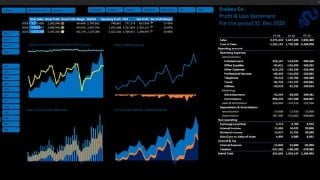

Learn how to revolutionize your reporting and analysis tasks with advanced Excel tools like Power Pivot and DAX. Connect your database, automate data cleaning, prepare financial reports, and create dynamic visualizations. Perfect for accountants, financial analysts, and business leaders. Money-back guarantee.
Financial ReportingFinancial Ratios and Financial AnalysisVisualizing Financial dataPower Pivot DAXReporting and Analysis are the two of the most common tasks that Accountants, Bookkeepers, and Financial Analysts perform on their job. Like most other tasks that we do, yet again Microsoft Excel is the most used software for these tasks.But, using basic Excel for these tasks is like using a bullock cart for travelling in 2021. Oh yes, using the advanced Excel tools like Power Pivot DAX, we can completely revolutionize the way we do reporting and analysis. We can directly connect our database with Excel, automate the data cleaning and transformation of data, prepare cash key financial reports, including financial statements, prepare key insights including ratio analysis, and even prepare visualizations. And the best part, all of this reporting and analytics can be set up as dynamic, meaning that these reports can be filter for any country, any cost center, or any business segment with just a click of a button. Well, this is exactly what this course is all about!In this course you will learning everything that you need to completely transform the way you do you perform your Reporting and Analytics. Prerequisites:Basic knowledge of Accounting/Bookkeeping, financial statements, and ratios is required.Basic knowledge of Excel will be helpful. Who should take this course:Accountants and BookkeepersFinance professionalsFinancial Analysts Business AnalystsFinance ManagersFinancial ControllersBusiness LeadersSoftware Requirement: Any version of Microsoft Excel 2010 or later. Money-Back Guarantee: Nothing to lose! If you won’t be satisfied with the course, Udemy offers 30 days money-back guarantee! Introduction to the teacher:Chartered Accountant | 12 years of work experience | 12 years of teaching experience as visiting faculty | 4000+ in-class students | 100,000+ online students on Udemy | In love with Excel for 15 years Who this course is for:Financial AnalystsBusiness AnalystsFinance ManagersFinancial ControllersAccountantsBookkeepersAccounting Finance students
User Reviews
Be the first to review “Advance Excel for Financial Reporting & Financial Analysis”
You must be logged in to post a review.





There are no reviews yet.