
Learn How to Build a Computer
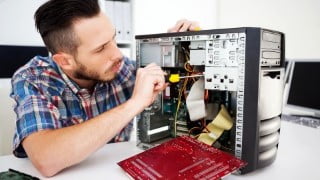

Learn how to build your own computer from scratch with this comprehensive course. Save money, choose your own parts, and gain a new skill. From purchasing parts to troubleshooting, this course covers it all. Start building your dream PC today!
What you’ll learn
- Determine which parts you need to buy
- Compare features and benefits of different makes and models of parts
- Buy your computer parts from the most reliable sources
- Put together all of the parts that make up your PC
- Install a Windows operating system
- Install anti-virus software
- Test your built computer is running at optimal temperatures
- Troubleshoot your build in case something didn’t go right on the first try
Building a computer is fun, affordable, and empowering. It’s fun being able to choose all of the parts that will go into your machine, it’s cheaper than buying a PC from a manufacturer like Dell or HP, and it’s just so darn cool to DIY!
This course is for anyone that has ever wanted to build their own computer.
For this course, I purchased all the parts I needed for a new computer. I show you each part, tell you about the features I thought were important, describe other features you may want to look for, demonstrate how to build the entire computer, and then install the necessary operating system and software.
You will go from having no idea what’s inside a computer to having a full working computer after this course.
You will be able to do the following:
- Figure out your computer’s main purpose
- Determine which parts you need to buy
- Compare features and benefits of different makes and models of parts
- Buy your computer parts from the most reliable sources
- Put together all of the parts that make up your PC
- Install a Windows operating system
- Install anti-virus software
- Test your built computer is running at optimal temperatures
- Troubleshoot your build in case something didn’t go right on the first try
FAQ:
What operating system do you demonstrate how to install?
Windows 7. I am adding a video on how to install Windows 8 and Linux as well.
How much do the parts cost?
It depends on what you want to do with your new PC. You can spend anywhere from $300 to $3000 on your build. The first thing to do is to identify the purpose of your computer. Are you going to use it for gaming or video editing, or just basic website browsing and media playback? The more performance your machine is, the more it will cost. We’ve listed out the following sample configurations in the course:
- Basic PC ($300)
- Basic PC ($400)
- Gaming PC ($464)
- Gaming PC ($800)
- Gaming PC ($1500
- Video Editing PC ($1500)
- Home Theater PC ($500)
How long will I have access to the videos?
Forever 🙂 Your access won’t expire
Do you offer a money-back guarantee?
Yes, we have a 30-day money-back guarantee. If you’re unhappy for any reason we’ll refund 100% of your investment. Of course, if there is anything we can do to help you, we’d love the opportunity to do so first.
Can I install Mac OS on a computer I build?
Yes, the method of actually putting together the computer hardware is independent of which operating system you’re installing. However, Mac OS will only work with a very limited set of hardware, so building a “Hackintosh” is outside the scope of this course.
Who this course is for:
- Anyone who wants to build a computer
- Anyone who wants to save money on the cost of a new computer
- Anyone who wants to develop a new skill
- No previous experience, knowledge, or training needed
User Reviews
Be the first to review “Learn How to Build a Computer”
You must be logged in to post a review.



There are no reviews yet.