
ESP8266 & Micro Python for Internet of Things
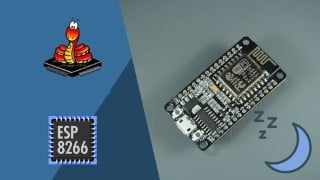

Learn how to create smart IoT applications using NodeMCU hardware and MicroPython through PyCharm IDE. Discover how to use various sensors like Vibration, Temperature, Humidity, Gas, and LiDAR. Explore platforms like Adafruit and Thingspeak for data analysis and visualization. Learn to use Google Voice and IFTTT for voice-based device control. Understand how to interface with LCD displays and use JSON format in IoT applications. This experimental and lab-based course is perfect for hobbyists and electronics enthusiasts.
What you’ll learn
- How to create smart IOT applications over NodeMCU hardware Using MircroPython through PyCharm IDE ?
- How to use PyCharm as IDE for Code Development & Flashing ?
- How to use Vibration / Temperature / Humidity / Gas / LiDAR Sensors ?
- How to use Adafruit, Thingspeak, apps for Analysis & Visualization of Data Grabbed from different Sensors ?
- How to use Google Voice and IFTTT to make complex ” voice based device control ” applications simple ?
- How to use LCD Display Interfaces like SSD1306, Nokia 5110 ?
- What is JSON format and how to use it with IoT applications ?
UPDATE 12 : Hola, el curso está habilitado con subtítulos en alemán[Powered by Google Translate]
UPDATE 11 : Hallo, der Kurs ist mit deutschen Untertiteln / Bildunterschriften aktiviert[Powered by Google Translate]
UPDATE 10: Enjoy Project 9 Where we use Lab 13 &14 to Create Custom Webpage to control devices connected over NodeMCU
UPDATE 9 : Lab 13 & 14 added , To Get Familiar of Using NodeMCU as Webserver and Basics of HTML & CSS
UPDATE 8 : Project 8 How to Push Sensor Data to Google Sheets for Data Logging ? (based on Lab 4 and Project 7)
UPDATE 7 : Project 7 from UPDATE 5 and 6 Labs, pushing notifications up on an alarming activity
UPDATE 6 : Using NodeMCU with Pushbullet for Push notification on Mobiles and other devices
UPDATE 5 : Using MQ135 Sensor for Gas Detection and Decision Making
UPDATE 4 : Using Nokia5110 Display with NodeMCU, Parsing JSON Data with NodeMCU, Creating a Weather Station Dashboard using NodeMCU and Nokia 5110 Display
UPDATE 3: Using LiDAR for IOT Apps, A lecture on Gesture recognition using VL6180x is added to bonus lectures, vl6180x from STMicroElectronics is a popular sensor for mobile phones, which can also be used for IOT Apps, Have a look for new Ideas
UPDATE 2 : After Request from Students Asking about interfacing a display, we have uploaded few bonus lectures on working with SSD1306, a 128 x 64 OLED display, after taking these labs you will be able to draw objects, display your own images and run gif images over SSD1306
UPDATE 1 : After listening to candidates expressing their discomfort with instructor’s accent ,Captions(CC) of all Lectures in the course are properly transcribed now and are not automatic(annoying)
Description :
This course gives a brief introduction to IOT and enables the students/enthusiasts to create very easy and useful applications through NodeMCU hardware and supporting sensors in a fastest way.
Regular courses which teach IOT through Raspberry pi may incur a cost of 30 – 50 $ including different sensors to complete the learning process, where as this course uses hardware like NodeMCU which is Open-source, Interactive, Low cost, Simple, Smart and WI-FI enabled hardware powered by ESP8266
Regular courses use C/ C++ language to code,Where as this course emphasizes more on the use of MicroPython which is a lean and efficient implementation of the Python 3 programming language that includes a small subset of the Python standard library and is optimised to run on microcontrollers and in constrained environments.
This Course uses popular PyCharm IDE from Jetbrains available free as community edition
Course is completely experimental / lab based and has no boring lectures and introductory graphics
It shows how to interface and grab data from sensors like Vibration, Temperature, Humidity, Pressure
It teaches how to post / visualize the data grabbed from sensor on to internet, visualization brokers/interfaces like Thingspeak and Adafruit.IO are used
Apart from visualization the course also teaches how to control IOs/devices connected to NodeMCU hardware through internet from any place in the world using Google Voice Assistant and If This Then That (IFTTT) platforms
Our rationale to build/teach this course: We went through different courses on IOT and found that there is need for a course which can teach people about building IOT Apps under limited budget
Who this course is for:
- Hobbyists, Electronics Beginner, Electronics Professionals
User Reviews
Be the first to review “ESP8266 & Micro Python for Internet of Things”
You must be logged in to post a review.




There are no reviews yet.