
Arduino meets Python: Step by Step
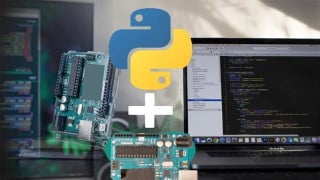

Learn how to control Arduino using Python and create innovative projects. This course teaches you how to set up electronic circuits, establish communication protocols, and write applications for Arduino in Python. Ideal for engineering students, electronic geeks, and hobbyists, this course will enhance your understanding of Arduino programming and enable physical interaction with your computer system. With Python, you can fully control the Arduino board and create desired results. Start thinking, wiring, and coding to unlock the potential of Arduino and Python integration.
What you’ll learn
- Design Arduino Circuits
- Program Arduino using Python Language
- Connect Python with Arduino
- Learn serial communication basics in Python
- Learn serial communication basics in Arduino
- Fully Control Arduino using Python
- Set up electronic circuits
- Set up the Communication protocol on Arduino
- Write basic applications for Arduino in Python to control basics functions
- Advanced Control of analog and digital inputs and outputs
- How to Integrate Arduino sensors and switches
Show moreShow less
>>> Arduino meets Python: Step by step guide is a course specially created for Electronic Geeks & Engineers who want to take Arduino Programming to the next level. <<<
Welcome to this course.
The course lesson will explain “How to work on Arduino and Python” by using Python Language and PythonEnvironment. This course will work best for you if you have basic knowledge of Electronics and Arduino. You will learn how to interface the Arduino with your Computer and Control it using Python.
Arduino can be used in your Engineering projects, Industrial Projects, or Home Automation related projects.
Why should you take this course?
The course teaches you how to install Python and Arduino software
The course provides easy-to-follow instructions for setting up an Arduino Board with the right shields, sensors, actuators, and more
This course takes you to step by step through learning how to use Python scripting on your Arduino board.
You’ll learn all about Python coding while taking advantage of the huge community support for Arduino boards.
You’ll learn how to:
Set up electronic circuits
Set up the Communication protocol on Arduino
Write basic applications for Arduino in Python to control basics functions
Advanced Control of analog and digital inputs and outputs
How to Integrate Arduino sensors and switches
Why Learn Arduino?
If you an Engineering or Science student you might come across projects in which you want Physical interaction with your computer system & to display the operations on PC Screen
Arduino is one of the cost-effective tools which you can create or purchase & starts programming to interact with physical elements with your logic & create results the way you want.
And using Python, you can fully control the Arduino Board and the various process parameters like Motor Speed, LED ON/OFF Feedback, Temperature Signal, you can also create unlimited Buttons, Switches & Message Box to control the Arduino
At the end of this course, you can create Innovative Projects. The only thing that you need to do is THINKING, WIRING & CODING.
Who this course is for:
- Engineering Students – Electronics, Electrical & Computer Science
- High School Science Students
- Electronic Geeks, Hobbiest & Art Students
- Arduino Geeks
User Reviews
Be the first to review “Arduino meets Python: Step by Step”
You must be logged in to post a review.



There are no reviews yet.