
Free Arduino Tutorial – Getting Started with Arduino Web Editor
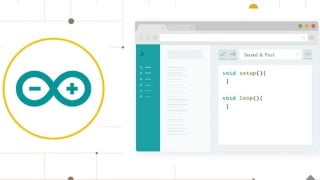

Learn how to code online with the Arduino Web Editor, save sketches in the cloud, and always have an up-to-date version of the IDE. Perfect for beginners, this course teaches you how to use the easy-to-use interface and experiment with different hardware. Whether you have internet access or not, you can code offline and work on your projects. Join now and discover the convenience of the Arduino Web Editor on various platforms.
Getting Started with Arduino Web Editor on Various Platforms
The Arduino Web Editor allows you to write code and upload sketches to any official Arduino board from your web browser (Chrome, Firefox, Safari, and Edge).
This IDE (Integrated Development Environment) is part of Arduino Create, an online platform that enables developers to write code, access tutorials, configure boards and share projects. Designed to provide users with a continuous workflow, Arduino Create connects the dots between each part of a developer’s journey from inspiration to implementation. Meaning, you now have the ability to manage every aspect of your project right from a single dashboard.
The Arduino Web Editor is hosted online, therefore it will always be up-to-date with the latest features and support for new boards.
This IDE lets you write code and save it to the cloud, always backing it up and making it accessible from any device. It automatically recognizes any Arduino and Genuino board connected to your PC and configures itself accordingly.
An Arduino account is all you need to get started.
Why you should take this course?
The Arduino Web Editor is an online coding platform which has an easy to use interface.
Use the Arduino Web Editor to start coding online with the Arduino IDE, save sketches in the cloud, and always have up-to-date version of IDE.
The editor is perfect for beginners who are not sure what hardware they want to use.
New users will be able to learn how to code while experimenting with different pieces of hardware finally can get their hands on it.
The software will also allow the user to code offline so if you don’t have internet access, you can still work on your projects.
Coding has never been easier than this!
Getting Started with Arduino Web Editor on Various Platforms
What you Will learn:
Sign up on Arduino Website
Log in to the Arduino Web Editor
Pick your Platform: Windows, Mac, or Linux
Arduino Web Editor anatomy
Make your board blink from the browser
Upload Your Code from the browser to Your Board
What boards are supported
Serial Monitor
Document and Share Your Project
Libraries and the Arduino Web Editor
Who this course is for:
- Anyone looking to Start coding online with the Arduino Web Editor, save sketches in the cloud, and always have up-to-date version of IDE
- Anyone looking to code Arduino without a Software directly from the browser
- Anyone Interested in Learning Arduino Web Editor, and the Create Platform
- Anyone looking to learn The All New Arduino Pro IDE
- Arduino Geeks
User Reviews
Be the first to review “Free Arduino Tutorial – Getting Started with Arduino Web Editor”
You must be logged in to post a review.




There are no reviews yet.