
Improve Arduino Programs Reliability
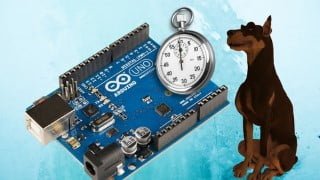

Learn how to make your Arduino programs more reliable by using the watchdog timer. This course will teach you how to monitor program progress, access registers, and perform hardware resets. Discover the best IDE for programming Arduino and boost the reliability of your projects. Enroll now!
What you’ll learn
- You will learn how to make your Arduino programs more reliable
- Learn how to use the watchdog timer in Arduino System
- Learn how to monitor the progress of the program
- Learn the ways to improve reliability
- You’ll learn how to use the Arduino system’s watchdog timer.
- You will learn how to make your Arduino programs more reliable by using the watchdog timer.
- You will learn how to access registers in Arduino
- You will learn how to do hardware reset to gain control over a program malfunction
- You will learn what is the best IDE for programming Arduino
In this course, we will discuss ways to boost the reliability of the Arduino programs we use and learn to use advanced techniques like watchdog timer, registers, and professional IDE in Arduino Development.
Introduction:
Arduino is a popular electronics platform that can be programmed to control lights, motors, and other devices. However, Arduino can also be unreliable due to its programming language and lack of error checking. A watchdog timer is one of the things that can help improve reliability.
This course will help you make Arduino reliable, troubleshoots errors, and secures their code.
When you’re programming your Arduino, it’s always a good idea to have a watchdog timer running in case something goes wrong. In this course, we’ll show you how to set up a reliable watchdog timer using the Arduino IDE. We’ll also provide example code and tips for debugging problems. By the end of this course, you’ll be able to create and use reliable Arduino programs!
Like all electronic devices on microcontrollers, the Arduino boards can be operated. The reasons may be different.
Controller malfunction;
Abnormal power supply
Electromagnetic interference
Noise
Watchdog in the Arduino system
One means of improving reliability is to use a watchdog timer to monitor program execution. It’s a hardware timer that must be reset periodically by the program. If the watchdog reset fails to be triggered within a specified time, it will cause a reboot of the system.
In Arduino systems, there is a watchdog timer, which is the internal node of the ATmega microcontroller.
The watchdog timer allows you to track the progress of individual program cycles. It is not required to place its reset function anyplace. The timer interrupt cycle, from which the rest of the program cycles are counted, usually is under my control. I used to set the watchdog reset in the 2 ms timer interrupt cycle in previous lessons.
What you will learn in this course?
Learn how to use the watchdog timer in Arduino System
Learn how to monitor the progress of the program
Learn the ways to improve reliability
You’ll learn how to use the Arduino system’s watchdog timer.
You will learn how to make your Arduino programs more reliable by using the watchdog timer.
You will learn how to access registers in Arduino
You will learn how to do hardware reset to gain control over a program malfunction
You will learn what is the best IDE for programming Arduino
A watchdog timer is not a cure-all for software failure. Assume that setting the interrupt timer failed in the previous example, causing it to work with a period of 5 ms instead of 2 ms. How will the watchdog aid here? What happens if the serial port settings don’t work? The application will not carry out its tasks.
We will learn how to use an Arduino Uno board and teach a watchdog timer program. We will also introduce a new feature of the Arduino platform, the IDE (integrated development environment), and look at some other useful programming commands.
Sign up and Enroll Now!!
Who this course is for:
- This course is designed for anyone who wants to learn Arduino and program it reliably
- It is also useful for anyone who wants to modify or develop an Arduino project
- This course is for all ages, from teens to seniors, who want to learn the basics of Arduino programming
- It’s also great for hobbyists, makers and engineers who want to learn how to program and troubleshoot their Arduino board.
User Reviews
Be the first to review “Improve Arduino Programs Reliability”
You must be logged in to post a review.



There are no reviews yet.