
SQL Server Monitoring Techniques
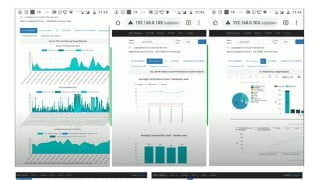

Learn SQL Server monitoring techniques for DBAs, developers, and managers. Analyze server health, identify bottlenecks, receive alerts, and manage organization databases. Find detailed reports on deadlock, blocking, expensive queries, and disk latency. This course teaches you how to monitor Microsoft SQL Server and provides deep-level analytical reports using SQL Planner tool. Improve server performance, resolve issues, and optimize database usage. Suitable for SQL Server DBAs, developers, and database managers.
What you’ll learn
- SQL Server Monitoring Techniques for DBA or Developers or Managers
- Free To learn & Free for Students and in Dev Environment
- Check SQL server Health , Identify SQL server Bottleneck Root cause, RCA of any issue, Receive alerts on SQL Server or several issue to keep DB server healthy
- Manage Organization SQL servers and Database , Find detailed report on Deadlock, Blocking, Expensive Query , Waits, Disk Latency
Learn the way to monitor Microsoft SQL server, the course is designed in such a way that helps in understanding Server performance, health , issues , root-cause instantly with fast deep level analytical reports using SQL Planner tool.
You would learn following to do after course completion :
– SQL Server Monitor , Analyze SQL server Health & find root-cause, receive alerts.
– find root cause of SQL server or database heavy usage
– Storage Analysis
– find root cause Waits
– find root cause Disk Latency
– Several Alerts
– Index Fragmentation Report
– Expensive Query or Procedure Report
– find root cause of deadlock and blocking
You can analyze your MS SQL server as it has following Metric report generation capability :
CPU & Memory Usage reports : SQL process, Non SQL process and Total CPU Usage based on hourly aggregated and per minute wise.
IO Usage Analysis : Overall IO Usage by Database , IO Usage by database logical database file , Read ,Write, Latency by DB wise
Deadlock & Blockers analysis: Hourly Count , Duration by Database and object wise ,Details of victim Query and Root cause query session at granular level
SQL Server Waits analysis: Perform SQL server Waits by Database , Wait Types and Query level
Missing Index analysis
Expensive Query and Procedure: Easily Generate Reports on expensive SQL Queries, Stored Procedure by overall wise , by IO , by CPU , by Application, by User, by Database etc.
Storage analysis : Overall Disk Size utilized vs free space, Databases wise total size growth trend graph, Disk drive usage growth analysis trend
Receiving Alerts : receive alerts when your server is down, when database data or log file exceeds to specific size, when CPU / RAM usage exceeds to specific threshold values, SPACE shortage, any word occurrence of errors/warning/terminate/dead in SQL error log found etc
SQL Error Log Scan & Report : SQL server Error Log report based on error occurrence , Server connectivity failure or success report
SQL Server Agent Job Analysis: SQL Server Agent Job Analysis by duration or historical check Alerts on failure or long running.
Always On Monitoring: SQL Server Always On Live & Historical Dashboard to monitor All of AG Groups, Replica Health & Status from All Server. Alerts on failure or Sync Issue.
Azure SQL DB Monitoring: Azure SQL DB or PAAS SQL DB complete Monitoring
Handover Notes Management: DBA Handover Notes central management, tracking, editing in SQL Planner and same is Forwarded to Email as well
Who this course is for:
- SQL Server DBA , Developers , Database Managers
User Reviews
Be the first to review “SQL Server Monitoring Techniques”
You must be logged in to post a review.





There are no reviews yet.