
Illustration in Procreate: Keys to Composition and Color

Learn about FPGA and ASIC design flows, mixed-signal SoC RTL design, and simulations in this webinar. Perfect for beginners in FPGA and VLSI design, as well as experienced Physical Design and STA engineers. Discover the similarities and differences between ASIC and FPGA flows and gain insights into when and why to choose one over the other. Join this webinar to enhance your knowledge and stay tuned for upcoming FPGA webinars and hands-on workshops. Start your journey in FPGA design today!
What you’ll learn
- Explore your creativity with different composition styles
- Create five different illustrations with well-balanced compositions
- Learn how to work with composition guidelines, symmetry, negative space, proportion and much more.
- Learn how to draw animals, plants, objects, figures with references.
- Learn tips&tricks to organize the colors in a composition
- Learn how to create a print ready artwork in Procreate.
Level up your composition game with these fun exercises in Procreate. We’ll create 5 different digital illustrations inspired by nature! You’ll learn how composition fundamentals work to design powerful compositions in your drawings. We’ll train our eyes for composition, practice with composition guidelines, learn many tips and tricks to help you create poster illustrations on your iPad.
What will you learn?
Part 1: Getting Ready
Training the eye to find basic composition shapes in artworks
Creating quick thumbnails with basic composition guidelines ( golden ratio, the rule of thirds, golden triangle, triangle)
Tips and tricks for well balanced compositions (including colour composition)
Part 2: Sketching
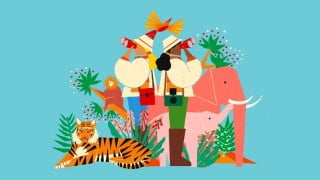
Drawing animals, plants, objects and characters with fashion (all in Safari theme)
Part 3: Go Deeper
Learn creating powerful compositions
Creating a eye-catching composition with only three elements
How to use symmetry as a tool in composition
Depth in composition: Foreground, Middle Ground, Background
Power tools in composition: scale changes, negative space, placement
Creating complex illustrations with help of the rule of thirds
All about colours in composition
Part 4: Finalize
How to get ready for printing in Procreate
What do you need for this class?
If you’ll practice on digital drawing, basic knowledge in Procreate or any kind of drawing app is necessary.
Materials/Resources:
I’ll be using Procreate on Ipad, but feel free to use any kind of drawing app. You can even use a pencil and paper, and still learn a lot from this class.
Music: bensound
Who this course is for:
- Illustrators, Digital Artists, Hobby Artists
- and anyone interested in drawing&fun!
User Reviews
Be the first to review “Illustration in Procreate: Keys to Composition and Color”
You must be logged in to post a review.



There are no reviews yet.