
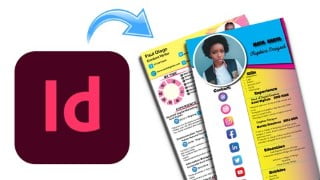
Design Interactive Resume using Adobe InDesign

Learn how to use Ansys Mechanical, a powerful Finite Element Analysis software widely used in the Engineering Industry. This course provides a comprehensive introduction to simulation concepts and results interpretation, allowing engineers to solve complex engineering problems and accelerate product development processes. With the knowledge gained from this course, engineers can minimize material wastage and prototype iterations, making it ideal for those interested in research and analysis in the industry.
What you’ll learn
- Using Adobe InDesign
- Making Interactive Resume
- Making Interactive PDF
- Using all Adobe InDesign Tools
Adobe InDesign is a standard software or tool for designing creative designs like magazines, newspapers, books brochures, posters, banners, and many more printed items.
You can also use it to create creative responsive documents like PDFs that can be shared online. We are living in a multimedia age or a time where media converge into one document. Let’s put it this way, you have a book with links that can lead to videos and audio to explain more about a subject.
Or you have buttons in your book when clicked change colors, enlarge, shrink, or might lead you to another page.
You want to make designs envisioning how your clients or audience will interact with them. For example, your target audience is using mobile phones. You might think of making an EPUB interactive PDF.
Now, this course is meant for anybody who wants to design a resume and any interactive publication. All you need is a computer, Adobe InDesign software, and your time.
Class Project
At the end you are supposed to design an interactive resume.
This course is divided into 3 section. The first part will show you how to get started with InDesign as a beginner, second part will take you through all the necessary InDesign tools that will help make the resume.
in the third part is when now you will design the resume and integrate it with interactive elements. check below what you learn.
Getting Started with Adobe InDesign
Explaining Starting Interface
Designing interface
Workspace Design
InDesign Tools Explained
Selection Tools
Gap, Hand and Zoom Tools
Text Tool Basic
Text tool-Using Properties option
Rectangle tool frame
Rectangle tool-Ellipse & polygon
Pages -Part 1
Pages-Part 2
Gradient Tool
Stroke and Fill
Free Transform, Rotate and Scale Tools
Designing The Resume
First Design
Second Design
Third Design
Fourth Design
Fifth Design
Integrating Interactive Elements
Who this course is for:
- Beginner’s InDesign
- Job seekers
- Designers
- Creatives
User Reviews
Be the first to review “Design Interactive Resume using Adobe InDesign”
You must be logged in to post a review.





There are no reviews yet.