
Digital illustration & Animation with Adobe Fresco & Capture
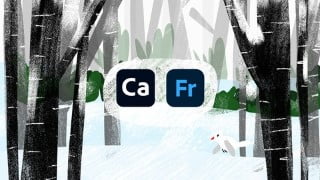

Learn how to create stunning digital art with Adobe Fresco and Adobe Capture. This comprehensive course covers everything from basic tools to advanced techniques like animation and texture application. Perfect for beginners and experienced artists looking for a Procreate alternative. Get started today!
What you’ll learn
- How to use Adobe Fresco for Digital Art
- How to Animate with Fresco
- How to use Adobe Capture to create seamless repeating patterns
- How to use Adobe Capture to create shapes and brushes
- How to download brushes for Fresco
- How to use the vector brushes and vector trimming
- How to use the Live brushes such as Watercolor Brushes and Oil Brushes
- How to apply textures to artwork
- Working with the Pixel Brushes
- Blend modes, Layer masks, Clipping masks, Grids & Drawing Aids and much more!
Let’s explore Adobe Fresco and Adobe Capture!
Have you ever wanted to learn digital art but can’t find an alternative to Procreate? Adobe Fresco is a digital art app that supports both vector and pixel art! In this class we will learn everything that you need to know to illustrate with Adobe Fresco. We will also learn about Adobe Capture, a free app that works brilliant with Adobe Fresco, to create shapes, brushes and patterns.
Although the illustrations in this class are focused around the holidays, the things you learn can be applied to anything that you want to draw with Adobe Fresco.
WHO IS THIS COURSE FOR?:
Anybody who is interested in learning Adobe Fresco! This class is suitable for both beginners and people who are familiar with Fresco or Capture.
WHAT YOU’LL NEED:
Adobe Fresco (Free version works)
Adobe Capture (find the link to download in the resources section)
A digital device with a digital pen to draw, such as
iPad and apple pencil
Windows desktop (Fresco has a desktop version)
Any other drawing tablet
WHAT YOU’LL LEARN:
We will be covering a wide range of topics, while aiming to master Adobe Fresco by the end of the class. Here are a few things we will learn:
Basic understanding of Fresco
How to work with the various tools in Fresco
How to use the Live brushes
Understanding grids
Learning to animate
Using Capture and Fresco to create
Seamless repeating patterns
Brushes
Shapes
Making shapes from your artwork or from images
Vector art and Vector Trimming
Learning to use the text tool
Applying textures
And much more!
I am so excited to have you join me in this class and learn all the awesome things you can do in Adobe Fresco and Capture!
Love,
Ashwini
Who this course is for:
- Anyone who wants to learn Adobe Fresco
- Anyone who wants to learn digital art
- Anyone looking for a Procreate alternative
User Reviews
Be the first to review “Digital illustration & Animation with Adobe Fresco & Capture”
You must be logged in to post a review.




There are no reviews yet.