
Corel DRAW Masterclass / Graphic Design for Beginners
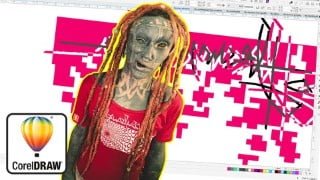

Learn how to use Corel Draw to create your own designs and graphics. This course covers important tools, functions, vectors, and advanced techniques. Suitable for beginners and experienced users, including graphic designers, entrepreneurs, and tattoo artists. Gain full control over your graphic designing and create logos, business cards, flyers, and more. Taught by a seasoned graphic designer with two decades of experience. Follow along with practice files and learn by doing. No prior experience required. Start your creative journey with Corel Draw today.
What you’ll learn
- You learn from scratch how to use Corel Draw to create own Designs, Grafics and Layouts.
- The most importend tools and functions of the program and how to use them.
- What are Vectors and how and why we use them.
- Shadow, Blending, Contouring, 3D Effects and advanced Fillings.
- Combining and play with vector shapes to use them in logos and graphics.
- Tools and Their Usage – Drawing, Shaping, Fills, & Text
- Many advanced Tips for creative work with Corel Draw
Why Corel Draw and Vectors instead of Pixels?
It gives you full control over your graphic designing
If you’re looking for a software that is user-friendlyand gives you full control over your grafic designing, you can easily create logos, business cards, flyers, pattern and Tattoo designs or anything else what your creative hearts want. Corel DRAW is used by professionals across the world for promotional Designing, making thumbnails, webpages and all sort of designs.
By the end of this course, you will learn to create your own Designs and Grafics. You are able to make Flyer, Logos, Tattoo designs, playing with fonts and bitmaps and much more.
I use CorelDRAW X5 , but if you have a previous version or newer version you can still embark on the creative journey to learn vector graphic designing. This course includes practices files so you can follow along and actually learn by doing. For this it would be good you have a computer with Corel Draw X5 or newer installed so you able to open my Files.
What makes me qualified to teach you?
I work on Corel Draw since 2 decades and creating Logos, Grafic designs, Merch designing, Tattoo designs and im verk known for my Digitl Art and Tattoo work. I am worldwide known For creating my own Tattoo style who is based on Grafic design and abstract painting. I made Art exhibitions around the world and shown my Digital art wich i always entiredly created on Corel Draw. I own myself multiple Brands aand i was always in charge for my own Grafics as i could never get the controll out of my hands. Beside of this i made a lot grafic designs for brands around the world.
I’m a full-time graphic designer and content creater and Artist since almost 2 decades. So i not only know how to use the program and design, i also know how it is to work for yourself and build up your own brands with the skills i teach.
Is this course for you?
You dont need any experience and you can fully start to learn a new skill and a new program with me. In case you have already some knowledge about Corel Draw you may learn some more skills. This course is more a in deepth Masterclass than a basic beginner guide. I show a lot advanced tips and tricks and you might even learn something new after maany years. I never study grafic design but i am very sucesfull with it and you will find out easy when you reasearch for me (former artist name ‘little swastika’ (swastika = for the buddhist symbol of luck and buddha)).
I will show you how i use the program to make beautifull design work in a easy and uncomplicated way. And when you like it or you already a long therm Corel Draw user, i have a few workshops around different topics in the program what you may interested in.
This course will cover everything you need to know to to start working on your graphic design files, including:
WorkSpace of Corel Draw
Creating a new document and basic setings
Creating shapes and how to use them
Explening Vectors and there use
Layouting with grids and guides
How to use knots and lines
Using color palettes and Fill options
Editing text and playing with it
Attributes and Effects
Outlines, contours and fillings
The outline pen and in deepth use of it
Combining shapes to create logos and graphical elements
Using color palettes and different filling options
Playing with bitmaps and jpeg
Shadows and transparecy options
Aligning and grouping objects
Importing and cropping images
Prepairing logos to vectorize them
Vectorize your ownn hand painted designs
Exporting
Who this course is for:
- Grafic Designer, Entrepreneurs and Tattoo Artists
- You are a complete beginner who has never opened CorelDRAW
- You have played around with CorelDRAW, but need some clarity in becoming a more skilled graphic designer
- You want use Corel Draw for creating Tattoo designs and patterns.
- Entrepreneurs – who want to save money or want to earn few extra bucks
- Content Creators, Social Media Enthusiasts,
User Reviews
Be the first to review “Corel DRAW Masterclass / Graphic Design for Beginners”
You must be logged in to post a review.




There are no reviews yet.