
Learn Photo Manipulation in Adobe Photoshop 2021 – Beginners
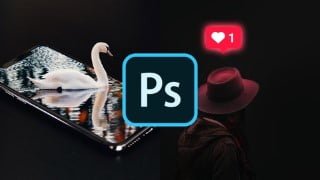

Learn how to remove/change backgrounds, create glowing objects, and apply textures in Adobe Photoshop. Perfect for beginners and intermediate users.
What you’ll learn
- How to remove or change the background of a picture
- Adobe Photoshop picture effects for portaits
- How to make objects glow
- How to put a texture over a picture in photoshop
- Photo manipulation in Adobe Photoshop 2021 / 2020 / CC
Learn amazing Photoshop tricks even if you are a beginner who is just starting out!
Adobe Photoshop is great if not the best image editing software that is available to do photo manipulations. In this online course, you will learn useful techniques and tools for creating interesting image effects and will also learn about layers and masks which can be used to combine many pictures together and are essential for Photoshop manipulations.
In this online course, you will learn advanced techniques for creating awesome photo effects, but also some basics which will be helpful for you to start creating various kinds of effects. Some of them are on how to:
Remove or change the background of a photo
Make objects glow
Remove unnecessary objects from a picture
Combine different pictures into one
Do a double exposure effect
Use masks
Use layers
etc.
This course is primarily for beginners, so the course is made with an introduction to the Adobe Photoshop tools, layers, and masks and after that, we move on with some more advanced techniques for creating the photo manipulations.
This course is perfect for beginners who want to start making amazing photo manipulations without spending hours learning about every tool and aspect of Adobe Photoshop.
It is also very useful for people who already use Photoshop 2021 / 2020 / CC, but would like to learn making specific effects, like:
The double exposure effect
A glowing neon social media icon
Glitch effect (great for creating amazing portraits)
3D Pop-out from screen effect
30-Day Money-Back Guarantee, so if you are not satisfied with your purchase, I will refund your course – no questions asked!
Enroll in the course now and enjoy the power of knowing how to create stunning pictures!
Who this course is for:
- Beginners who want to learn Adobe Photoshop
- Intermediate Photoshop users who want to learn new Photoshop techniques
User Reviews
Be the first to review “Learn Photo Manipulation in Adobe Photoshop 2021 – Beginners”
You must be logged in to post a review.




There are no reviews yet.