
Learn and Master SolidWorks: A Step-by-Step Course
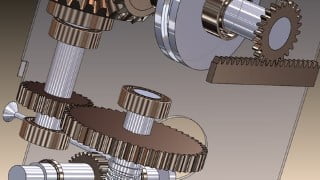

Learn SolidWorks User Interface (UI) and Basic Settings for faster and flexible modeling. Master sketch generation techniques and create 3D parts and features. Gain expertise in assembly creation, technical drawings, and rendering. Suitable for beginners, students, engineers, and 3D modeling enthusiasts. Access additional lectures and prompt support. Start your SolidWorks journey today!
What you’ll learn
- Learn SolidWorks User Interface (UI) and Basic Settings for faster and flexible modelling
- Learn and Master sketch generation techniques, tricks and best practices
- Creating 3D parts and features. Learn about extruded boss and cut, revolved boss and cut, swept boss and cut and lofted boss and cut features and many other.
- Learn and master assembly creation, assembly mates, assembly level features, exploded views and 3D model rendering
- Learn and master generation of technical drawings. Generate various drawing views in SolidWorks drawing.
This is a SolidWorks course and training program that teaches students, engineers and 3D modelling enthusiasts how to use SolidWorks software, which is a popular computer-aided design (CAD) and engineering program used by professionals in a variety of industries. In this SolidWorks course, you will typically learn how to create and edit 2D and 3D models, as well as how to use SolidWorks tools and features to create technical drawings. This SolidWorks course comprise of online self-paced learning through video tutorials. The length and depth of the learning videos in this SolidWorks Course have been matched to suit all levels, may it be beginners, new users or existing users of SolidWorks. The course has been packaged to enable you as the learner to gain the skills and knowledge you need to use SolidWorks effectively and efficiently, and with speed in your work or studies. The course has adopted the style of “learning by doing” and materials necessary to facilitate this form of learning have been provided as “downloadable resources”. As a matter of facts, you will have access to over 50 SolidWorks CAD models (Both 3D Parts and Assembly models) to facilitate the learning and demonstration process.
The 5 main sections that we will consider in this training are:
Section I- SolidWorks User Interface (UI) and Basic Settings- To start and enhance your understanding of SolidWorks, understanding of the user interface is key. Understanding the UI of SolidWorks gives you unmatched speed and flexibility when modelling and designing components in 3D environment in SolidWorks.
Section II- Sketch Creation-Sketches are the foundation blocks for parts and assembly creation
Section III- 3D Parts Creation
Section IV- Assembly Creation-Other than assembly creation, appearance application and PhotoView 360 Rendering is included in this section.
Section V- Technical Drawings Creation
The course is suitable for:
Beginners and New Users of SolidWorks
Students
Existing user of SolidWorks
Engineers
3D Modelling enthusiasts
In addition, you will have access to additional SolidWorks Lectures and updates as Extra Content as will be provided from time to time. Rest assured of guaranteed support in case of any difficulty in following the lectures. Prompt response will be provided. So, in case of any queries or suggestions be free to contact us and we will give our utmost effort to respond within the shortest time possible.
Who this course is for:
- Beginners and New Users of SolidWorks
- Students
- Existing user of SolidWorks
- 3D Modelling enthusiasts
User Reviews
Be the first to review “Learn and Master SolidWorks: A Step-by-Step Course”
You must be logged in to post a review.





There are no reviews yet.