
Autodesk Inventor 2023, Essential Training
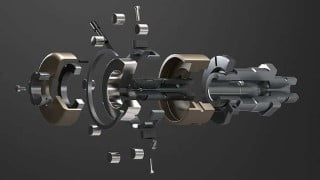

Learn Autodesk Inventor 2023 from scratch with this beginner-friendly course. Create, modify, and test product designs using 3D mechanical design software. Gain a solid understanding of the software and create your own designs. No prior experience required. Get quick support from the instructor and access video lessons and practice exercises. Perfect for students, professionals, and hobbyists looking to learn this design software. Enroll now and start designing!
What you’ll learn
- User interface
- Making parts from scratch
- Assembly of different parts
- Making drawing sheets
- Exploded videos
- Making presentation
This Autodesk inventor 2023 course is made for the very beginners who want to learn it from very scratch.
About the instructor
Student of Phd in Busan National University Korea. Specialized in design principles and methodologies. Have done research in areas such as product design and development, design optimization and design for manufacturing. I have provided services in industry by applying my knowledge to the design of real-world products and systems. I have also taught and mentored students in design engineering in addition to their research work.
What’s in the course
Autodesk Inventor is a 3D mechanical design software used to create, modify, and test product designs. In this course, you will learn the basics of the software including:
Navigating the interface and setting up a project
Creating 3D parts and assemblies
Using constraints and dimensions to control design intent
Creating detailed 2D drawings from 3D models
Rendering and animating designs for presentations
Course structure
Almost all chapter contains video lessons and practice exercises to help you assess your performance of every chapter. At the end of this course, there is a practical project where you will learn to make a Connecting Rod right from scratch including its smaller components and also you will learn to assemble it and convert the assembly and parts into manufacturing-ready drawings. you will also learn how to animate the assembly to make wonderful exploded videos to parts.
Once you finish the course…
By the end of the course, you will have a solid understanding of the software and be able to create your own designs. Additionally, this course is designed for beginner to intermediate level learners and no prior experience is required.
Who should enroll in this course
This course is for you if you are a student, professional or hobbyist who just wants to learn this design software.
Instructor support
Whenever you have a subject matter question you can post it in the Q&A forum and I will answer your questions as soon as possible. So, with the course, you not only get the video lessons but also quick and responsive support from the instructor.
Pre-requisites for the course
There are no pre-requisites for the course but you need to have access to Autodesk Inventor.
Who this course is for:
- Beginner students and professionals who want to learn this software from very scratch
User Reviews
Be the first to review “Autodesk Inventor 2023, Essential Training”
You must be logged in to post a review.




There are no reviews yet.