
Autodesk Featurecam-Siemens NX CAM-Solidcam-NX CAM2027 Intro
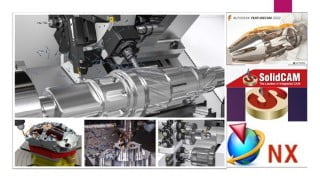

Become a professional CAM user in NX, Solidcam, and Autodesk Featurecam with this comprehensive manufacturing course. Learn milling, turning, drilling, and wire EDM operations, as well as G code customization and CNC machine usage. Get an overview of cutting tools, toolpaths, and CNC cutting parameters. Download course materials and receive full technical support. Perfect for mechanical production engineers, CAD CAM engineers, and manufacturing students.
What you’ll learn
- After this course you will be CAM Professional user in NX
- After this course you will be CAM Professional user in Solidcam
- After this course you will know the basics of Autodesk Featurecam operations
- You will learn Solidcam 2023 (Milling 3Axis, 5 Axis – Turning – Drilling)
- You will learn NX CAM (Milling 3Axis, 5 Axis – Turning – Drilling)
- Additional NX CAM 2027 Interface sessions added to the course to be able to use the latest version.
- You will learn the most common cutting and non cutting options in NX CAM
- You will learn the most common cutting and non cutting options in Solidcam
- You will learn how to use NX CAM with different CNC Machines
- You will learn how to use NX Post Builder in NX to customize G Code
- You will have G Code & CNC Overview Course
Show moreShow less
Sample From Reviews:
Nice Collection of manufacturing courses and nice explanation, Thanks Sir (Rating 5)
CAM Diploma Main Contents (5 Courses!):
Course 1: NX CAM (Milling – Turning – Wire EDM) + NX 2027 CAM Interface
Course 2: NX Post Builder
Course 3: G Code & CNC Overview
Course 4: Solidcam 2023 (Manufacturing)
Course 5: Autodesk Featurecam 2022 Basics
Course Contents in Details
1- G Code & CNC Overview
2- NX CAM Milling (3Axis, 4 & 5 Axis)
3- NX CAM Turning
4- NX CAM Drilling
5- NX CAM Wire EDM
6- NX CAM Millturn
7- NX Post Builder (3Axis, 4 & 5 Axis)
8- Solidcam Milling (3Axis, 4 & 5 Axis)
9- Solidcam Turning
10- Solidcam Millturn
11- Solidcam Drilling (3Axis, 4 & 5 Axis)
12- Autodesk Featurecam 2022 (Milling Roughing Operations)
13- Autodesk Featurecam 2022 (Milling Finishing Operations)
14- Autodesk Featurecam 2022 (Drilling Operations)
15- Autodesk Featurecam 2022 (Turning Operations)
16- NX 2027 CAM Interface (New Additional Sessions)
Description:
Introduction to the concept of CNC G-Code (Prerequisites for NX CAM)
You will be professional user in NX CAM.
NX CAM & Post Builder Course introduce the most common Milling, Turning and Wire EDM Operations ( 3 Axis & Multi Axis), the course will be step by step to make the full operations from beginning to generate the G code, also to customize the G code to be readable with any CNC machine type or any number of axis.
Additional NX CAM 2027 Interface sessions added to the course to be able to use the latest version.
After this course, you will be able to use the NX CAM & Post Builder to do Machining for any Part and to use NX CAM with any CNC Machines.
After this course, you will be able to create G code for Milling, Turning and Wire EDM operations (3 Axis & Multi Axis).
You will be professional user in Solidcam 2023.
You will learn the general workflow to get from the CAD model to machined CNC part.
You will have overview for the CNC Cutting Tools for Milling & Turning (End Mills, Face Mills, Corner Rounding tools, Slot Tools, Spot Center Drill,…).
You will have overview for the 2D & 3D Milling Toolpaths.
You will have overview for the G & M codes, and the contents of the G code file.
You will have overview for the G codes & M codes and function of each code.
You will have overview for the G codes Block Format and Restrictions on CNC blocks.
You will have overview for the CNC Cutting parameters & CNC Coordinate systems
Notes:
You will download all parts that we used during the course and more parts for practice.
You can send me any G & M codes to help you in post builder in your CNC machine.
The implementation of this course is in NX 11 but you will be able to implement using any version.
Additional NX CAM 2027 Interface sessions added to the course to be able to use the latest version.
The implementation of this course is in Solidcam2023.
The implementation of this course is in Autodesk Featurecam 2022.
You will have full technical support.
Weekly additional Exercise will be added to the course according to students requirements (If Required).
Who this course is for:
- Mechanical Production Engineers
- Technical Person
- CAD CAM Engineer
- Mechanical Students
- Manufacturing Engineers
User Reviews
Be the first to review “Autodesk Featurecam-Siemens NX CAM-Solidcam-NX CAM2027 Intro”
You must be logged in to post a review.





There are no reviews yet.