
Learn Wilcom Embroidery Digitising Full Course in English
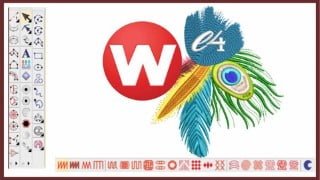

Learn Wilcom Embroidery Studio from basics to advanced level with this comprehensive course. Perfect for beginners and existing users, it covers all tools and options in detail. Ideal for freelancers, textile and fashion designers. Start digitizing and designing embroidery like a pro!
What you’ll learn
- Overview and understanding of working in Wilcom Embroidery Studio
- Basics commands and options which are important for working in Wilcom Embroidery
- Toolbars and Flyouts in wilcom
- Importing and Artwork in Embroidery workspace
- Handling embroidery and graphics workspace in wilcom
- Working with Outline Tools and Outline stitch types
- Working with Input Tools in Details.
- Working with Column A, Column B and Column C Tools
- Working with Complex and Complex turning Tools
- Explaining of all the outline stitch types and fill stitch types in Wilcom E4
- Offset and outline Options in wilcom
- Stitch effects with practical examples of effects
- Mirror Merge Options with advanced usage
- Shaping Tools and their Options in detail
- Applique with all it options and working
- A comprehensive explanation of lettering in wilcom
- Team names and Options in wilcom
- Monogramming and Options
- Motif fill and program split
- customizing motif for your embroidery designs in wilcom
- Graphics Digitizing Bar tools and Options
- Working with holes and blending options
- Carving stamp tools and options
- Explaining about digitizing a design
- Finalising a design for machine
- Travelling a design for production
- Exporting a design to machine format
- reducing stitches for prodcution
- approval sheet and options
Show moreShow less
Wilcom Embroidery Digitising Complete Course in English:
In this course you will Learn about all The tools in Full Details, by completing this course, you will just be able to work properly and professionally with Wilcom. In this course we try our best to explain everything step by step. This is an ultimate complete course which will discuss all the tools of Wilcom that at the end of this course no tool will be left unexplained.
Topics which will be discussed in this course:
Overview and Introduction of wilcom
File Formats and Machine area.
Control Points and Options
Zooming and Basic View Options
Colour Object List and its Options
Outline tools and their uses
Circle, Star and Ring
Input A or Column A with Options
Input B or Column B with Uses
Input C of Column C with details
Complex Tool and their Comprehensive explanation
Complex Turning or Fusion Fill tool
Customising & Creating Motif with motif run and motif fill with Options
Customising & Creating program split
User defined split and carving stamp tool
Fill Stitch types and their Parameters
Outline Stitch Types and their properties.
Stitch Effects & advanced Options
Cross Stitch and options
stipple run and options
Square stitch and options
Coil filling and options
advanced stitch types for outline and Fill Stitch
Graphics Digitising Bar & Options
Applique with all their options and effects
Squin and their Options with parameters
Travelling Tools and their Uses
Product Visualisation and their Usage
Exporting File to Machine Format for Production
Capturing Embroidery Design to High quality Image
Course Contents :
Basic Tools and Usage
Basic Digitising
Advanced Digitising
Editing
Steps and Options
Color squence
Sequin
Lettering and Options
Travelling and Parameters
Finalising Designs for Production
About Your Instructors:
I am a professional IT Instructor and have been teaching for 15 years now. I have been conducting physical classes in my institute where we are having all classes for all computer courses including Wilcom Embroidery Digitising. We have trained to thousands of students now who are working or serving in the market with having any problem. So you can expect a high quality learning from us.
Now we are delivering these courses online. while creating these course we take care all the protocols which are necessary for an online courses. We take care of all the elements which are important for a distance learning courses. This is a very useful course which will take you from basic to advanced level.
Who this course is for:
- For beginners who are interested in learning Embroidery digitizing to advanced level
- Existing users of wilcom who want to learn all about Wilcom Embroidery Digitizing
- Freelancers who want to work as embroidery designer
- Textile and fashion designer who are interested in learning Embroidery digitizing and designing.
User Reviews
Be the first to review “Learn Wilcom Embroidery Digitising Full Course in English”
You must be logged in to post a review.





There are no reviews yet.