
Free AutoCAD Electrical Tutorial – Learn AutoCAD Electrical from Scratch
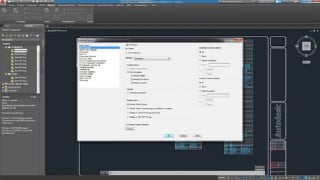

Enhance your productivity with our AutoCAD Electrical course. Gain a clear understanding of its features and capabilities, and learn to utilize specially developed electrical drafting tools. Perfect for students, teachers, beginners, and learners in the electrical field looking to expand their knowledge in designing. Join us now!
AutoCAD Electrical course is designed to give a clear understanding of AutoCAD
Electrical features, capabilities and the sound knowledge of the software to
enable the students to exploit the surplus availability of specially developed
electrical drafting tools to enhance productivity.
This is a Demo AutoCAD Electrical course which is divided in three different
sections. In the first section, we will discuss a short summary of the whole course,
short overview about AutoCAD Electrical software, its interface sections, some
useful commands, and different types of electrical drawings and electrical circuits.
The second section is about ACADE interface sections working. Before starting
deep learning, we will discuss some demo drawings and circuits in AutoCAD
Electrical software. On the basis of interface sections, some similarities and
differences of ACAD and ACADE drawings are discussed. Title bar, application
button, quick access toolbar, menu bar and ribbon sections are discussed in
detail. The concept of layers, dimensions, command window and multiple
techniques are explained to operate a command. Some of the working is
summarized as follows:
o How to hide/unhide Ribbon tab and command window.
o How to adjust size of crosshair, pick box and aperture size.
o Saving drawings in previous sections and plotting in pdf format.
o How to divide and object in different sections.
o Working on grip and snap settings.
o How to hide/unhide menu bar, schematic tab etc.
o How to create a new workspace for ease of access.
o Moving from one workspace to another.
The third section is a brief overview about project manager. Summary of its sub
topics are listed as below:
o Start working in ACADE project manager interface.
o Overview and opening of WDP file
o Importing/exporting of drawings.
o Creating a new project and setting its dialog box.
o Uses of Library and Icon menu paths in project properties.
o Creating, adding and removing drawings in a project.
o Working on different formats of templates are discussed in detail.
o Different standards of drawings are discussed.
o Working in new drawing dialog box.
o Differences in drawings due to different templates on the basis of Limits
and Units are explained.
Who this course is for:
- The students and teachers who are related to electrical field can attend this course. The beginners and learners who want to expand their knowledge in electrical designing background can also attend our lectures.
User Reviews
Be the first to review “Free AutoCAD Electrical Tutorial – Learn AutoCAD Electrical from Scratch”
You must be logged in to post a review.





There are no reviews yet.