
Onshape the complete course
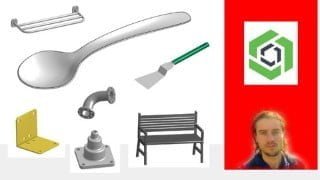

Learn how to create 3D models with Onshape, a powerful CAD software. Master sketching, modeling tools, and create assemblies. Perfect for beginners and those wanting to create 3D parts. Start your 3D modeling journey today!
What you’ll learn
- Manage conceptions
- Create document
- Export model
- Master dashboard
- Master navigation
- Start with sketches
- Use drawing tools
- Add constraints
- Edit sketches
- Add construction planes
- Create extrusions
- Create revolutions
- Create lofts
- Create sweeps
- Create bevels
- Create chamfers
- Create repetitions
- Create symmetries
- Modify part
- Import image
- Manage construction tree
- Create surfaces
- Edit surfaces
- Add colors
- Add materials
- Create frames
- Create sheet metals
- Create drawing for models
- Assemble parts
- Create industrial parts
- Create objects
Show moreShow less
Onshape software
Onshape is a CAD software. It allows to create 3D models based on sketches. Onshape offers a free open source solution for individuals with hobby version. Indeed, it is possible to model directly online with this version. The program is also aimed at companies with a professional version that offers even more advanced features such as realistic renderings. The software offers many features to create parts for 3D printing or to create 3D models. Start with sketches, master constraints, apply different features on sketches to convert any ideas to 3D models. It is also possible to create assemblies or to introduce models on pages.
Advantages to use this software
– Online tool on browser
– Ergonomic interface for beginners
– Powerful sketching system
– Effective modeling tools
– Advanced work with surfaces
– Creation of assemblies
– Creation of a drawing to present a 3D model
– For creating parts for 3D printing
– For 3D modeling
Training course
In this course you will learn how to use Onshape to create your 3D models. We will use the hobby version of Onshape for personal use. Step by step, you will learn to master the software perfectly. Start with the dashboard, master navigation, manage sketches, add constraints. All design tools are explained in details. You will also see how to create frames, create sheet metal parts, create an assembly, or even create a presentation of your drawing on a page. At the end of the training, many exercises will allow you to apply the different features. At the end of the course, you will be able to perfectly master the hobby version of Onshape.
Who this course is for:
- People who want to start with CAD software
- People who want to start with 3D modeling
- People who want to create 3D parts
- People who want to master a complete tool to work with 3D models creation
User Reviews
Be the first to review “Onshape the complete course”
You must be logged in to post a review.





There are no reviews yet.