
Create a Cityscape with Cinema 4D + Photoshop
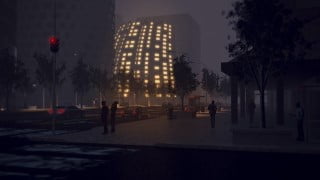

Learn the entire architectural visualization workflow with this course on Creating a Cityscape using Cinema 4D + Photoshop. Perfect for beginner and intermediate 3D artists.
What you’ll learn
- The creative and technical steps involved with 3D modeling the architecture.
- Create building variations using deformers and the MoGraph cloner to change the shape of each building.
- Create city blocks, adding entourage and tips for improving CPU performance.
- Texturing the street with Adobe Photoshop using painting techniques and custom brushes.
- Create 3 different light set-ups using HDRI images, physical skies and nighttime renders including atmospheric fog effects.
- Rendering and optimization for faster render times.
- Post-Production Techniques in Adobe Photoshop.
Welcome to this course on Creating a Cityscape Using Cinema 4D + Photoshop.
In this series of lessons we will cover a lot of topics to give you a solid understanding of the entire architectural visualization workflow including:
01. The creative and technical steps involved with 3D modeling the architecture.
Polygon modeling and the make editable function
Creating extrusions for the window frames and glass
Store selections and apply multiple materials to geometry
Texturing using Cinema 4D’s procedural materials
Duplicating geometry using the MoGraph cloner and array object
Using deformers to modify the shape of each building
02. Creating the city blocks
Render instances and tips for improving CPU performance
Adding entourage (people, cars, trees, street light, etc) to populate the scene
The differences between a 3D tree and a cutout and discussion on how these impact performance
Locating and downloading free content within Cinema 4D’s asset browser
Web links to external free 3D model resources
Camera views and compositional techniques including the rule of thirds and framing the image
03. Texturing the street with Adobe Photoshop
Painting Techniques
Layer Masks
File Organization
Importing custom brushes
File preparation
04. Explore 3 different light set-ups
HDRI image with infinite light and fill light
Physical Sky
Nighttime scene including use of atmospheric fog effects
05. Rendering and optimization for faster render times.
Render Optimization
Render Settings
Object Buffers
06. Post-Production Techniques in Adobe Photoshop
File Organization
Channels and Selections
Masking
Adjustment Layers
Glows, Sharpening, and Depth of Field
Final Output
Who this course is for:
- Beginner 3D Artist interested in learning the entire architectural visualization workflow.
- Intermediate 3D Artist interested in learning various visualization techniques.
User Reviews
Be the first to review “Create a Cityscape with Cinema 4D + Photoshop”
You must be logged in to post a review.



There are no reviews yet.