
Procreate For The Absolute Beginner: Digital Painting Intro
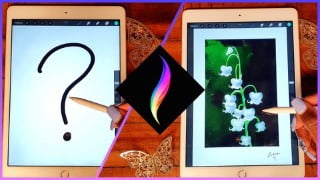

Learn how to navigate the Procreate interface, edit photos and artwork, use layers and blending modes, and create original art. This beginner’s class is perfect for those starting digital painting for the first time. All you need is an iPad, Procreate, a stylus, and the desire to learn. Get ready to dive in and unleash your creativity!
What you’ll learn
- How to Navigate the Procreate Interface
- How to edit photos and artwork in Procreate
- How to use layers and blending modes
- How to create art original artwork
This is Procreate for Beginners: A complete, in-depth instructional class for all those starting digital painting for the first time.
Do you ever admire all the beautiful artwork up on YouTube and Instagram sadly thinking, “That can never be me. I have no idea where to start”?
Well, you are at the right place.
I remember the first time I downloaded Procreate and opened it up, thinking the transition would be as easy as drawing on paper has always been. only to be met by icons and features that I had no idea how to use!
This class has been made with the absolute newbie to Procreate in mind. I shall take you through all of the tools and features available in Procreate, showing you practical examples along the way from my own artwork on how to use them. The class will culminate with us painting a simple flower painting- the Lily of the Valley representing the month of May.
All you’ll need for this class is your iPad (doesn’t have to be an iPad Pro, I use the basic version), Procreate, a stylus, and the interest to learn.
This class is the precursor to the more intermediate and advanced Procreate classes that will be up soon, so make sure you have a mastery of the basics before we move on to more complicated stuff.
So if you’re ready for this, lets dive in!
Who this course is for:
- Beginners interested in starting to use Procreate
User Reviews
Be the first to review “Procreate For The Absolute Beginner: Digital Painting Intro”
You must be logged in to post a review.



There are no reviews yet.