
Mastering Video Editing with Final Cut Pro: Ultimate Course
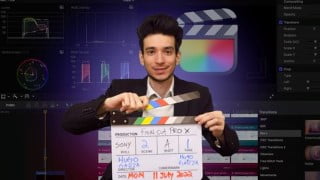

Learn all the basics of video editing with Final Cut ProCut, Move, Crop videos. Add B-roll videos, music, sounds, voice overs. Improve your video editing skills and create professional videos for YouTube, Facebook, TikTok, and more. This course is suitable for beginners to advanced users.
What you’ll learn
- Learn all the basics of video editing with Final Cut Pro
- Cut, Move & Crop videos
- Add B-roll videos, music, sounds, voice overs
- Add text, lower thirds, subtitles
- Color grade your videos
- How to create videos using a green screen
- Export high quality videos
- Improve your video editing skills
- Add transitions and effects
If you don’t have Final Cut Pro, you can download a 90-day free trial of the software from Apple’s website.
This course is an all-in-one course that will teach you how to use Final Cut Pro to make amazing videos that you can put on YouTube, Facebook, TikTok, Instagram, or even use in your professional or personal life.
This course covers everything you need to use Final Cut Pro with the best settings.
You will learn many of the different functions of Final Cut Pro that will dramatically increase the quality of your videos.
This course will teach you:
· How to make cuts, move and crop your videos.
· What the best keyboard shortcuts are.
· How to add B-roll videos, pictures, music, sounds, and create a voice over.
· How to add video effects, transitions, lower thirds, titles, and subtitles.
· How to make videos using a green screen.
· How to use color grading to improve the quality of your videos.
· Many more functions and settings of Final Cut Pro.
This course is an excellent choice for anyone wishing to learn how to use Final Cut Pro to create videos and make them look more professional.
_________________________________________________________________________
I recommend that each time you create a new video, you try to make it better than the last one.
The best way to improve your video editing skills is by doing.
In the beginning, your videos might not be the best. But the more you create videos, the better they will become.
Don’t focus on making just one perfect video, but focus on making many videos. This is the best way to improve your video editing skills.
Who this course is for:
- This course is for everyone from beginner to advanced
- Anyone interested in creating high quality videos
User Reviews
Be the first to review “Mastering Video Editing with Final Cut Pro: Ultimate Course”
You must be logged in to post a review.



There are no reviews yet.