
Create SVG images for Whiteboard Videos using Inkscape
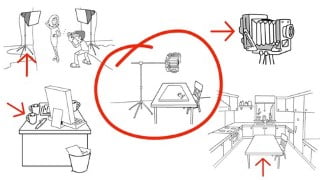

Learn how to create simple SVG images for whiteboard videos in just 5 minutes. Dr. David Kyte, a whiteboard video expert, shares his techniques to help you make the perfect image for your next video. From drawing arrows to changing emotions on characters, this course covers everything you need to know. Suitable for anyone who makes whiteboard videos.
What you’ll learn
- How to create simple SVG Images for use in Whiteboard Videos
- Adapt Images you own to make new ones
- Add emotions to your SVG characters
- Start making your image from the very first video.
You can’t walk the great wall of China, without taking your first step.
This course will show you how to make your first SVG image, that you can use in your whiteboard animation software (videoscribe, Doodle, Explaindio, etc) in 5 minutes.
You will have then taken your very first step.
From that 1st image, you will be introduced to new tools, that will allow you to generate different affects.
By the end of the course (12 videos), you will be able to assemble and repurpose complex scenes confidently and quickly.
My name is Dr David Kyte and I have been making whiteboard videos for 10 years. I use the techniques shared in this course with every whiteboard video I make.
I am sharing these skills, as they are simple, easy to learn, and gives you the freedom to tweak your current image library, making the PERFECT image for your next video shot.
Introduction
Introduction
Creating Your First Simple SVGs
02 Draw a Simple Arrow [6:53]
03 Changing the Drawing Order [4:35]
04 Changing Colours, Rotation and Duplication [6:10]
05 Drawing a curved arrow [5:45]
Converting PNGs and bitmaps to SVGS
06 Tracing Your first png [8:45]
07 Trace a Brain Png [11:57]
Changing Emotions on Characters
08 Changing Emotions on a Face [9:32]
Using Existing Image Props and Characters
09 Extracting a prop from another image [3:48]
10 Extracting and repairing a prop from an image [5:31]
11 Adding a Prop [4:48]
Building New scenes
12 Merging two or more images together
Who this course is for:
- Anyone that makes whiteboard videos
User Reviews
Be the first to review “Create SVG images for Whiteboard Videos using Inkscape”
You must be logged in to post a review.




There are no reviews yet.