
Learn Filmora 10 and Edit a “Tech review” Video for Beginner
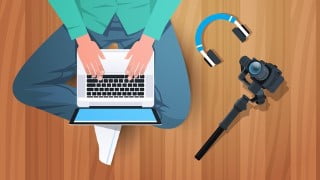

Learn the basics of Wondershare Filmora 10 software for video editing and create an awesome Tech video for YouTube. This course is perfect for beginners who want to start their own YouTube channel and anyone interested in video editing. Gain knowledge on setting up projects, importing footage, adding graphics and music, and exporting your final masterpiece. Start your successful YouTube career with this comprehensive tutorial.
What you’ll learn
- To create an awesome Tech video
- Learn Filmora 10 software for video editing
In this class, I’m going to teach you the basics of Wondershare Filmora 10 focusing on exactly what I think you’ll need to edit a Tech review video for YouTube. So, if you’ve never touched Filmora 10 but are anxious to get started creating content this is the class for you.
Our project for this class will be editing a Mobile Phone review Tech video. The footage to follow along and edit for yourself will be in the project description box for you to download. We’ll go over the Filmora 10 interface and how to set up your project and import footage, putting together your A-Roll the main footage content, We’ll put in basic graphics using text, create an intro graphic for the video, and also create an end screen.
And then finally, we’ll go over basic color correction, how to add and balance music along with some minor audio editing tweaks, and then set up our video to export.
By the time of finishing this Filmora 10 tutorial, you would have become a video editor.
I suggest you first watch the completed Tech video for your basic understanding of the Final masterpiece.
All the very best for a successful youtube career.
Who this course is for:
- A beginner looking forward to create his Youtube channel
- Anyone interested in Video Editing
User Reviews
Be the first to review “Learn Filmora 10 and Edit a “Tech review” Video for Beginner”
You must be logged in to post a review.





There are no reviews yet.