
Introduction to Live Streaming – Hosting your own talk show
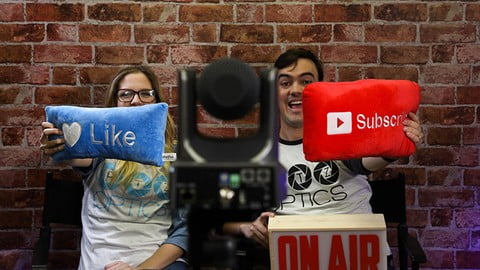

Learn how to produce a branded live stream and create professional video content with this comprehensive course. Perfect for beginners or those with experience, gain insights into PTZOptics’ behind-the-scenes talk show setup. Discover Adobe Photoshop, After Effects, vMix, and YouTube Live tutorials. Ideal for anyone interested in live streaming, but basic knowledge of Photoshop and After Effects is recommended. PTZOptics offers high-quality, affordable video conferencing and broadcast cameras with excellent technical support. Don’t miss out on this opportunity to enhance your live streaming skills.
What you’ll learn
- Produce a completely branded live stream
- Produce live and on-demand video content
- Create video assets for professional live streaming
- Set up pre and post show video assets for live streaming
In this video tutorial you will learn how PTZOptics set’s up our live talk show behind the scenes. Our multi-camera live streaming studio set up is a modern approach that allows for flexible talk show style video conferencing and live streaming. This in depth course focuses on our popular ‘History of Live Streaming Episode” where the entire episode is filmed in black and white with various virtual sets and special effects. This course will include tutorials in: Adobe Photoshop, Adobe After Effects, vMix and YouTube Live.
If you are completely new to live streaming and video production this course will be a great place to start. Even if you have produced live streaming content before this course will give you some “behind the scene” insight into how PTZOptics hosts our live show. If you do not have any experience with Adobe Photoshop or After Effects you may want to consider taking a course on one of these topics first. While it is possible to start this course without knowledge of how to use Adobe photoshop and after effects we recommend that you learn at least the basic of how these programs work first.
PTZOptics provides high quality video conferencing and broadcast cameras with HDMI, HD-SDI, USB 3.0 and IP Streaming. Our approach to video camera manufacturing focuses on value. We strive to provide best in class features at affordable prices while we extend our reach with open source camera controls, free Crestron/Extron programming modules and amazing technical support.
Who this course is for:
- Anyone who is interested in live streaming should take this courese
- You should NOT take this course if you do not have basic understanding of Adobe Photoshop and After Effects
User Reviews
Be the first to review “Introduction to Live Streaming – Hosting your own talk show”
You must be logged in to post a review.




There are no reviews yet.