
Python and Matplotlib Data Visualization
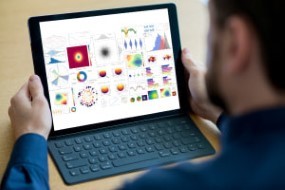

This data science Python course explains how to use Matplotlib for data visualization as you draw on its plotting library to create engaging 2D and 3D graphs.
In this course, we will learn how to visualise data with Python using Matplotlib, a third-party Python module. We will talk about customizing Matplotlib, basemap, subplots, 3D scatter plots, 3D bar charts and 3D graphics. Next, we will discuss 3D dot plots, wireframes and bar charts, including the full range of 3D graph representations. In addition, we learn about the titles, legends and role of histograms in Matplotlib.
What You Will Learn In This Free Course
Python Data Visualization with Matplotlib
In this module, you will learn how to visualize data with Python using Matplotlib, a third-party Python module. We will learn the complete process of downloading and installing Matplotlib. Then we will learn some amazing features of Matplotlib such as plot options, labels, titles, legends, pie charts, histograms and scatter plots, etc.
Customization of Matplotlib
In this module, we will talk about the customization of Matplotlib. We will learn what changes we can make and what is generally done with matplotlib graphs. Next, we will discuss how to customize ticks, spines, and text as well as create our own style using Matplotlib for graphs.
Introduction to Subplots
In this module, we will talk about subplots using Matplotlib. We will discuss how to add multiple plots to the same figure and plot multiple series at once. Next, we will learn about some indicators such as moving averages and how to add them to our charts.
Introduction to Basemap
This module is about displaying geographic data on maps with Python and Matplotlib using the Matplotlib extension Basemap. We will learn how to optimize projections in Basemap and why projections need to be adjusted. We will also explore how to incorporate logic into our plots to see the difference between land and water.
Introduction to 3D Graphing
In this module, we will look at 3D graphs using Matplotlib. 3D gives us three axes and three dimensions to plot and is very useful for representing data in graphs. We will cover things like 3D dot plots, wireframes, and bar charts. We will explore a whole range of 3D representations of charts.
Course assessment
User Reviews
Be the first to review “Python and Matplotlib Data Visualization”
You must be logged in to post a review.





There are no reviews yet.