Getting Started With Blender

0
Certificate

Paid

Language

Level

Intermediate

Access

Free

Last updated on May 6, 2026 12:03 am

Learn 3D modelling tools and techniques in this Blender tutorial for beginners that teaches you the technology behind modern animation and computer graphics.

Add your review

This concise course aims to set up complete beginners in Blender using the easiest and quickest learning methods. You will learn everything from navigating Blender’s user interface for the first time to modelling a realistic speaker. We explain the core concepts of 3D modelling using interactive worksheets to make the learning process easy and enjoyable. This course outlines all the key steps involved in 3D modelling.

What You Will Learn In This Free Course

  • Recognise Blender as a powerful 3D p…
  • Identify the Blender user interface…
  • Outline the workflow for 3D content …
  • Discuss the various tools and techni…
  • Recognise Blender as a powerful 3D package
  • Identify the Blender user interface
  • Outline the workflow for 3D content creation
  • Discuss the various tools and techniques for creating models inside Blender
  • Distinguish between different modes and functionality for creating 3D models inside Blender
  • Compute and solve common 3D mesh topology
  • Define ?physically based rendering? (PBR) workflow for material creation
  • Explain the simple three-point lighting technique
  • Translate the techniques to create your own 3D models
  • Getting Started With Blender
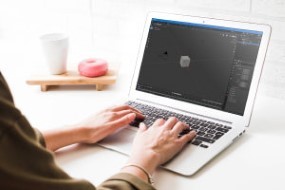
    This module will cover all the important topics and workflow for creating a 3D model in blender. First, we will start with some of the basics of blender and its user interface. Then we will progress to learning basic 3D modelling tools through worksheets. Finally, we will apply our learning in creating a portable speaker from scratch.

    Course assessment

    User Reviews

    0.0 out of 5
    0
    0
    0
    0
    0
    Write a review

    There are no reviews yet.

    Be the first to review “Getting Started With Blender”

    ×

      Your Email (required)

      Report this page
      Getting Started With Blender
      Getting Started With Blender
      LiveTalent.org
      Logo
      LiveTalent.org
      Privacy Overview

      This website uses cookies so that we can provide you with the best user experience possible. Cookie information is stored in your browser and performs functions such as recognising you when you return to our website and helping our team to understand which sections of the website you find most interesting and useful.