Essentials of Excel Data Visualization

0
Certificate

Paid

Language

Level

Intermediate

Access

Free

Last updated on May 2, 2026 7:37 am

Master the art of generating stunning and straightforward graphical reports using Excel visualization functionalities.

Add your review

Although the phrase “A picture is worth a thousand words” is almost a century old, its value still holds today. This is because visual information accounts for more than 90% of all data transmitted to the human brain. As a result, visual imagery is a powerful tool for communicating both abstract and tangible concepts. This course will show you how to make the best use of your data and findings by visually displaying them in Microsoft Excel.

What You Will Learn In This Free Course

  • Define the concept of data visualiza…
  • Discuss the differences between Data…
  • Explain the principles of data visua…
  • State the guidelines for tables and …
  • Define the concept of data visualization
  • Discuss the differences between Data graphics and infographics
  • Explain the principles of data visualization
  • State the guidelines for tables and charts
  • Describe the procedure of adding a developer tab and a camera tool
  • Outline the pros and cons of sparklines and heatmaps
  • Summarize the different types of KPI charts
  • Identify the process of creating infographics in Excel
  • Indicate the process of creating a Checkbox and a Tornado Drilldown Dashboard
  • User Reviews

    0.0 out of 5
    0
    0
    0
    0
    0
    Write a review

    There are no reviews yet.

    Be the first to review “Essentials of Excel Data Visualization”

    ×

      Your Email (required)

      Report this page
      Essentials of Excel Data Visualization
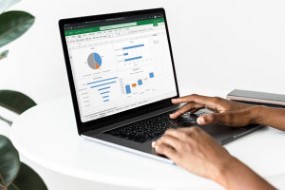
      Essentials of Excel Data Visualization
      LiveTalent.org
      Logo
      LiveTalent.org
      Privacy Overview

      This website uses cookies so that we can provide you with the best user experience possible. Cookie information is stored in your browser and performs functions such as recognising you when you return to our website and helping our team to understand which sections of the website you find most interesting and useful.