
Essential Lightroom Techniques for Outdoor Photography
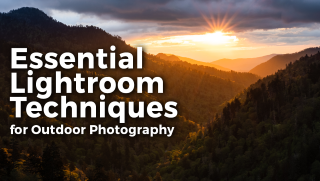

In this class, you’ll learn how to use Lightroom specifically as an outdoor photographer. You’ll learn how to apply Lightroom’s many adjustments and tools and see how each tool can be applied to…
Class Preview
In this class, you’ll learn how to use Lightroom specifically as an outdoor photographer. You’ll learn how to apply Lightroom’s many adjustments and tools and see how each tool can be applied to different outdoor scenarios, such as sunrise photography, difficult lighting situations, wildlife photography, Milky Way photography and more.
Overview Of Lightroom
In this opening session, you’ll see an overview of the Lightroom software and become familiar with the multitude of organization tools that Lightroom offers outdoor photographers. After watching this, you’ll be able to organize your photos in your Lightroom library, as well as export your files out of Lightroom.
Lightroom Workflow
Discover a fundamental post-processing workflow that you can use for every photo that you edit in Lightroom. Workflows are important because they help you set up a systematic approach to post-processing that eliminates confusion.
Dynamic Range Bracketing
Here, you’ll learn how to merge bracketed images from the field to create a single high dynamic range image file. These aren’t designed to be over-processed dynamic range photos. You will see how to create realistic bracketed photos to get more detail in your images.
Removing Objects
In this session, you’ll learn how to remove objects in your photos. There are some limitations of object removal in Lightroom which you’ll see. When that happens, you’ll discover how to use Photoshop to finalize the removal of objects in your photography.
Midday Light
Discover how to manage difficult lighting situations in Lightroom, more specifically midday light. Some photographers do not take photographs during midday hours – however, if you follow these steps, you can produce successful photos even in the most difficult light.
Pano Merge
In this session, you will learn how to create merged panorama photographs in Lightroom. Lightroom makes panorama merges extremely easy. However, there are some specific settings you must select to have a successful panorama merge.
Creating Your Own Dynamic Light
Here, you’ll see how you can create dynamic light from any photograph. You don’t have to bracket an image to create dynamic range, although it does help. You’ll see how to use the Lightroom tools to create realistic dynamic features in your photos.
Wildlife
Learn how to edit wildlife photography. Wildlife is a major part of outdoor photography, and there are very specific adjustments that you need to make to reveal as much detail as possible in your wildlife images. You’ll see the tools to use for those edits.
Night Photography
In this session, you’ll learn how to edit night photography and the Milky Way. Milky Way post-processing is one of the most daunting tasks photographers face. However, with just a few simple adjustments and tools, Milky Way photography won’t seem that difficult, and you’ll create some amazing images.
Limitations
While Lightroom is an extremely powerful software you can use in outdoor photography, there are still limitations. In this final session, you’ll see exactly what cannot be done within the Lightroom software and what you’ll need to make those edits.
Bonus: Meet Your Instructor
Learn more about your class instructor, David Johnston.
User Reviews
Be the first to review “Essential Lightroom Techniques for Outdoor Photography”
You must be logged in to post a review.



There are no reviews yet.