
Startup Library: Photography
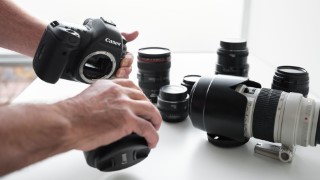

Learn the basics of digital photography and transform your photos from good to great. Just bought a digital camera? Gain the skills and confidence you…
Class Preview
Learn the basics of digital photography and transform your photos from good to great. Just bought a digital camera? Gain the skills and confidence you need to start maximizing its potential with award-winning photographer Chris Grey. Learn how to comfortably navigate and control your camera settings, functions and modes, including shutter speed, aperture, ISO and more. Chris also shares tips for photographing a variety of subjects and helps you gain a basic understanding of editing and post-processing.
Your Camera
Meet Chris Grey and gain a better understanding of how digital cameras work, the different types, as well as the various lenses and what each of them do.
Settings & Composition
Learn about the different camera functions and settings to start with, and composition basics. Then get an introduction to the exposure triangle.
The Creative Zone
In this lesson, Chris discusses the creative zone. Get a better understanding of aperture, shutter speed and ISO. See how they work together as you deepen your command of the exposure triangle.
Light
Explore lighting, including its direction, color and quality. By understanding how the camera sees and adjusts for light and color, you can take better pictures using simple tips and techniques that don’t require a ton of extra equipment.
Action & Motion
Chris shows you how to freeze action or deliberately blur it. All you have to do is master your shutter speed.
Landscapes
It’s time to get out in nature! As you explore photographing landscapes, Chris teaches you about composition, and how to tackle tricky situations such as sunsets. After that, practice using the exposure triangle to achieve the results you want.
Cityscapes
Ready for an urban adventure? In this lesson, Chris shares tips and techniques for composing scenes and patterns in the built environment. Find out how to spot compelling images in surprising places, continuing to build your expertise with the exposure triangle.
Photographing Food
Vastly improve your food photography with some basic tips on arrangement, light and angles, and selecting a good background. Chris also shares techniques for bringing out the best qualities of food.
People Photos
Explore essentials for photographing people as Chris covers posing, lighting types, and some easy equipment additions to your kit. You’ll understand how to capture the important people in your life by creating portraits that really stand out.
Travel Tips
Chris shares his tips for what to bring when traveling, what to shoot in order to tell the story of your trip, and how to spot opportunities for great shots to make your journey even more memorable.
Video
While you may not be an avid videographer, Chris reveals some pointers that will help improve the quality of your videos. Learn techniques for ensuring a steady shot, how to get good sound using basic equipment, plus explore using drones!
Organizing & Editing
Chris shows you how to store and organize your photos. Editing can be a difficult process, but not with his easy approach to identifying and sorting the good and saying goodbye to the bad (which is equally important).
Post-Processing
Chris ends class with a primer on post-processing. Understand basic adjustments, retouching techniques, plus some intermediate moves to get you thinking about future post-processing.
User Reviews
Be the first to review “Startup Library: Photography”
You must be logged in to post a review.



There are no reviews yet.