
Intro to Adobe Photoshop
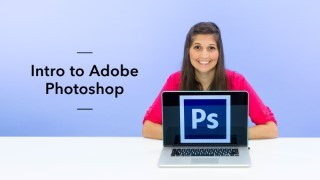

In this class from our partners at Brit & Co., learn how to create eye-catching photos and layouts in Adobe Photoshop.
Class Preview
In this class from our partners at Brit & Co., learn how to create eye-catching photos and layouts in Adobe Photoshop.
Introduction & Interface Overview
Learn more about your instructor, Teela, and get to know the main interface of Adobe Photoshop. This includes and overview of various settings and tools.
Basic Photo Editing: Photo 1
Learn the basics of photo editing. This will include brightness/contrast, hue/saturation and color balance.
Basic Photo Editing: Photo 2
Now edit the second image that will be used in your design by using the skills you just learned.
Create the Polaroid Base
Learn how to use the shape tool to create the frame base of a digital polaroid.
Create Washi Tape
Teela will show you how to create digital washi tape by adding color, texture and a torn edge.
Finishing the Polaroid
Apply finishing touches to your digital polaroid. Work with the clipping mask to insert a photo and add text.
Replicating the Polaroid
In this lesson, you’ll learn how to recreate, position and size your digital polaroid.
Basic Hand Lettering Edits
Teela will teach you how to add digital hand lettering to your design. Then, use what you’ve already learned to enhance the color.
Using Vector Elements
Learn how to resize, rotate and position vectors in your design.
Apply Texture Background & Saving
Put the final touches on your design by adding a watercolor texture background. You’re done with your project! Now learn how to save your design for the web or for print. Finally, get insider tips and inspiration to take your Adobe Photoshop skills from amateur to pro.
User Reviews
Be the first to review “Intro to Adobe Photoshop”
You must be logged in to post a review.




There are no reviews yet.