
Food Photography Post-production in Photoshop
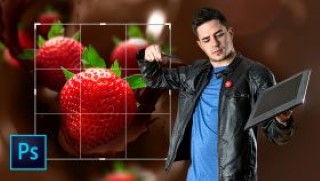
|
Learn professional techniques to create and retouch food images for advertising
Looking to transform a food photo into a hyperrealistic, mouth-watering sensation? Join digital artist, photographer, and retouching expert Mario Olvera and learn to do just that.
In Photograph Retouching and Visual Effects with Photoshop , Mario explains the ins and outs of creating action-packed, hyperrealistic compositions.
Start by learning more about Mario, his artistic references and sources of inspiration, his career as a visual artist, and his foray into photo retouching and creative food compositions.
Next, look for references to use as inspiration in the conceptualization process before sketching out your compositions. With your sketch in hand, decide whether to use stock images or photographs of the different elements. If you decide to use your own photographs, Mario offers a behind-the-scenes look at one of his shoots, showing you how to capture quality photos at home with very simple equipment.
After selecting your photos, use Adobe Camera Raw to retouch different values like the tone and saturation of the elements you want to highlight. Then, digitally beautify the food in your images and follow along as Mario explains the keys to giving them a professional advertising finish.
Additionally, learn how to trim elements so you can optimize the weight of your images or layers and, thus, work faster. Discover what a script is, how to install it, and how to cut with it. Next, create your composition document and add assets or actions, such as layers, before including a background for a bit of dimension and drama.
User Reviews
Be the first to review “Food Photography Post-production in Photoshop”
You must be logged in to post a review.



There are no reviews yet.