
Professional Set Design for Product Photography
|
Learn how to manually set up colorful and professional set designs for creative photography
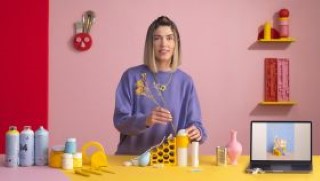
“When design, photography, and art go hand in hand, the only possible result is that our client’s product shines,” affirms visual artist and art director Mireia Ruiz, better known on social media as Mireia y sus cosas. In this online course, see how to convey ideas and emotions through colors, textures, and extraordinary compositions.
Throughout the units, your teacher, who’s had the opportunity to collaborate with clients such as Tous, Swatch, and adidas, teaches you how to tackle a professional product-photography assignment. To do this, learn how to create photographic sets manually and find new solutions during the editing process to carve out your own style and set yourself apart from the rest.
To begin the course, Mireia Ruiz tells you about her professional career, her influences, and her journey in experimenting with projects that have paved the way to her own personal style.
Next, get to researching and analyzing the product that’s taking center stage in your photographs and pinpoint an overall concept. Continue looking for inspiration and testing colors until you define the final sketch.
Move on to building the set and discover the crucial roles that both the floor and the background play. Then, customize the objects and trial some different ways to set it up. Now it’s time to photograph the product and play around with new compositions.
Select your best shots and do some basic retouching in Adobe Photoshop. Finally, Mireia teaches you how to prepare the files to present to the client.
User Reviews
Be the first to review “Professional Set Design for Product Photography”
You must be logged in to post a review.



There are no reviews yet.