
Learn What’s New in Studio One Pro 7

What you’ll learn
- Learn What New Features are in Studio One Pro 7
- Learn what updates have happened in the application
- Learn how to use these new features in your productions and songs
- Learn how to use the new updates
Do you know want to know all the features and updates in Studio One Pro 7?
In this course Gary will take you through all the NEW features, and how you can integrate and use them in your songs.
The BIG features are the AI-powered Stem Separation tool,
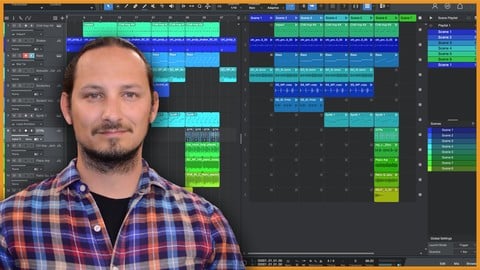
The Launcher is a great new addition that gives your a grid-like workflow which allows you to test out other songs arrangement and improvise on the fly with audio clips and synths.
And the Splice Integration, is an essential tool to provide you with any audio samples and loops you may nee for your future productions.
So, if sounds like something interesting that you want to learn, then this is the perfect course for you!
Learn EVERYTHING you can know in Studio One Pro 7!
This course will take you step-by-step through all the new features and updates in Studio One Pro 7, and you see them in action in easy-to-follow tutorials and real-world examples. You’ll enjoy learning while taking action.
WHAT WILL YOU LEARN?
Changes to the User Interface and Audio Parts
Detecting Song Tempos
Using Splice Integration and pull Splice samples into your songs.
Using Stem Separation
See how the Launcher Tool functions, and it’s unique workflow
Taking a Look at the NEW Deep Flight synth
WHY USE STUDIO ONE?
Studio One is a packed with a ton of tools and features to use when working to video. And its ease of use and drag and drop functionality really make it easy to work to video.
WHY LEARN FROM US?
This course will go through the steps on how to get up and running in Studio One Pro 7 and you’ll see all the features and functions and what you can do with them.
My goal with the course is to give you the tools and tricks that you need within Studio One Pro 7 to use the application efficiently.
I CAN’T WAIT TO SEE YOU IN THE COURSE!
Cheers,
Gary Hiebner
Who this course is for:
- Music Producers and Songwriters who are wanting to use Studio One Pro 7 in their productions
- Studio One users who want to see what new features and updates have been added
- Studio One users who want to improve their music productions with these new features and updates
User Reviews
Be the first to review “Learn What’s New in Studio One Pro 7”
You must be logged in to post a review.



There are no reviews yet.