
AutoCAD Electrical From Zero to Hero
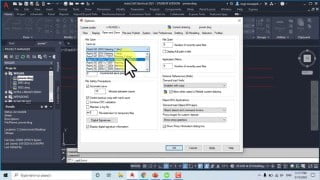

Learn about electrical components, symbols, and terminologies in this comprehensive AutoCAD Electrical course. Enhance your productivity with specially developed drafting tools and gain a clear understanding of the software’s features and capabilities. Perfect for students, teachers, and beginners in electrical design. Expand your knowledge and skills in the electrical field with our informative lectures.
What you’ll learn
- The students will learn about the background knowledge of electrical components, their symbols and the different terminologies used in the electrical domain. In this course, the students will learn how to start working in the software and develop some basic skills to start creating drawings.
Course Overview
AutoCAD Electrical course covers the core topics for working with the AutoCAD Electrical software and is designed to give a clear understanding of AutoCAD Electrical features, capabilities, and the sound knowledge of the software to enable the students to exploit the surplus availability of specially developed electrical drafting tools to enhance the productivity. In this course, we will focus on the use of lines and wires, components, ladders, use of symbols and their libraries, PLC, symbol builder, title block, and components cross-referencing.
This is a complete AutoCAD Electrical course that is divided into different sections. In the first section, a short summary of the whole course is discussed, a short overview of AutoCAD Electrical software, its interface sections, some useful commands, and different types of electrical drawings and electrical circuits.
The next section is about ACADE interface sections. Some demo drawings and circuits are discussed in AutoCAD Electrical software. On the basis of interface sections, some similarities and differences of ACAD and ACADE drawings are shown. The title bar, application button, quick access toolbar, menu bar, and ribbon sections are discussed in detail. The concept of layers, dimensions, command windows, and multiple techniques are explained to operate a command. Some of the work is summarized as follows:
How to hide/unhide Ribbon tab and command window.
How to adjust the size of the crosshair, pick box, and aperture size.
Saving drawings in previous sections and plotting in pdf format.
How to divide and object in different sections.
Working on grip and snap settings.
How to hide/unhide menu bar, schematic tab etc.
How to create a new workspace for ease of access.
Moving from one workspace to another.
The third section is a brief overview of the project manager. Summary of its sub-topics are listed as below:
Start working in ACADE project manager interface.
Overview and opening of WDP file
Importing/exporting of drawings.
Creating a new project and setting its dialog box.
Uses of Library and Icon menu paths in project properties.
Creating, adding, and removing drawings in a project.
Working on different formats of templates is discussed in detail.
Different standards of drawings are discussed.
Working in the new drawing dialog box.
Differences in drawings due to different templates on the basis of Limits and Units are explained.
The fourth section is about Lines and Wires. Its sub-topics are listed below:
Use of Delete, Trim, ANTRIM, Erase commands on lines and wires.
Use of Join, Explode, Break, Move, Scoot commands on lines and wires.
Copy, Stretch, Rotate, Mirror, scale, extend, offset, dimension commands.
Connecting multiple wire bus.
Changing wire types and connecting wires to components.
Inserting and formatting ladders
The fifth section shows how to give numbering to wires in different scenarios. Afterward, inserting schematic components in drawings and their cross-referencing is discussed deeply to enhance software features. Creating and formatting schematic reports for bills of materials is explained in detail. Next creating custom symbols and setting up title blocks is shown. Finally, working on power circuits, control circuits, single line diagrams, 3-phase circuits, PLC modules, and panel layouts is discussed in the last sections.
Who this course is for:
- The students and teachers who are related to electrical field can attend this course. The beginners and learners who want to expand their knowledge in electrical designing background can also attend our lectures
User Reviews
Be the first to review “AutoCAD Electrical From Zero to Hero”
You must be logged in to post a review.





There are no reviews yet.