
Autodesk Inventor CAD & NX CAM 2027 (Latest Version) Basics
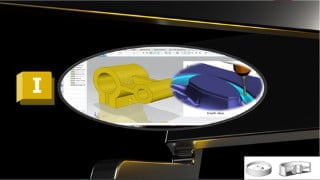

Learn how to use Autodesk Inventor for 3D parts and assembly drafting, and become a professional user in NX CAM. This comprehensive course covers milling, turning, drilling, and wire EDM operations, as well as G code CNC overview and NX post builder. With downloadable practice parts and full technical support, this course is suitable for CAD engineers, designers, mechanical engineers, technicians, drafters, and manufacturing engineers. Implementable in any version of NX, this course will equip you with the skills to generate G code for various operations and use Inventor CAD effectively.
What you’ll learn
- You will be able to use Autodesk Inventor for 3D parts
- You will be professional user in NX CAM (Latest Version).
- You will learn how to use NX CAM with different CNC Machines
- You will be able to use Autodesk Inventor for Assembly & Drafting
- You will learn how to use NX CAM for Milling, Turning, Drilling and Wire EDM Operations
- You will learn how to Use NX CAM for 3 Axis and Multi Axis Operations
Course Main Contents (3 Courses!):
Course 1: NX CAM 2027 (Milling – Turning – Wire EDM)
Course 2: Autodesk Inventor CAD
Course 3: NX Post Builder
Course Contents in Details
1- G Code & CNC Overview
2- NX 2027 CAM Milling (3Axis, 4 & 5 Axis)
3- NX 2027 CAM Turning
4- NX 2027 CAM Drilling
5- NX 2027 CAM Wire EDM
7- NX 2027 Post Builder
8- Inventor CAD Sketching
9- Inventor CAD Sketching Exercises
10- Inventor CAD Modelling
11- Inventor CAD Modelling Exercises
12- Inventor CAD Assembly & Drafting
Description:
First Course for NX CAM
Introduction to the concept of CNC G-Code (Prerequisites for NX CAM)
You will be professional user in NX CAM Latest Version.
This Course covers conclusion of the most common operations that you will use during your actual work.
NX CAM & Post Builder Course introduce the most common Milling, Turning and Wire EDM Operations (3 Axis & Multi Axis), the course will be step by step to make the full operations from beginning to generate the G code, also to customize the G code to be readable with any CNC machine type or any number of axes.
After this course, you will be able to create G code for Milling, Turning and Wire EDM operations (3 Axis & Multi Axis).
You will be able to use Inventor CAD for Assembly & Drafting.
Notes:
You will download all parts that we used during the course and more parts for practice.
You can send me any G & M codes to help you in post builder in your CNC machine.
The implementation of this course is in NX 2027, but you will be able to implement using any version.
You will have full technical support.
Weekly additional Exercise will be added to the course according to students’ requirements (If required).
Who this course is for:
- CAD Engineers
- CAD Designer
- Mechanical Engineers, Technicians, Drafters
- Manufacturing Engineers
User Reviews
Be the first to review “Autodesk Inventor CAD & NX CAM 2027 (Latest Version) Basics”
You must be logged in to post a review.





There are no reviews yet.