
Build An Audio Video Player With Python And Tkinter
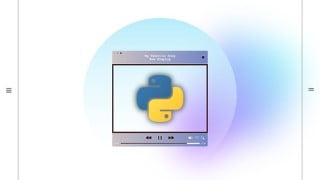

Learn how to build an Audio/Video Player GUI application with Python using Tkinter. This course covers everything from setting up your environment to integrating functionality such as playing, pausing, stopping, and adjusting volume. Discover how to use Pygame and vlc for audio and video playback, display gif images, and convert time formats. Perfect for anyone interested in creating GUI applications or building an Audio/Video Player in Python.
What you’ll learn
- Tkinter GUI Widgets need to know for making Audio/Video Player
- How to build Audio/Video Player with Python and Tkinter
- How to use Pygame to play with the Audio file
- How to use vlc to play with the Video file
- How to load gif images in Tkinter
- All functionality of Audio/Video Player
Welcome to the “Build An Audio Video Player With Python using Tkinter” course, a Tkinter is the standard Python interface for developing GUI. Python with Tkinter is the fastest and easiest way to create GUI applications.
In this course first, you will learn about Tkinter widgets that we will use in our application. You will learn how to use widgets, how to customize them, how to change their properties, and a lot more.
I will start by helping you to get your setup done, which includes Python, pip, and, PyCharm IDE installation, we will install the required python packages as and when needed.
Then after I’ll teach you how to make GUI for these two applications in Python using Tkinter and then we will integrate the functionality.
We are going to learn about
pygame to play audio files
vlc to play video files
tinytag to get audio metadata
Displaying gif images in Tkinter
timedelta to convert time in hh:mm:ss format
We’ll be building an MP3 player and a video player with all functionalities possible in this course, we will be able to play, pause & stop the audio/video files, and we will also be able to move forward/backward the audio/video file while it’s playing.
We will also have an interface to change the volume, we will be able to mute/unmute the audio, and we will also be able to adjust the volume using the scale widget of Tkinter.
In the end, we will add a slider to move back and forth on a track and can play the track from any specific time.
So what are you waiting for? Start creating an Audio/Video Player GUI application with Python.
Who this course is for:
- Anyone who want to make GUI Apps with python
- Anyone who want to make Audio/Video Player in python
User Reviews
Be the first to review “Build An Audio Video Player With Python And Tkinter”
You must be logged in to post a review.




There are no reviews yet.