
Create Your First Game with Unity Engine and C#

Learn how to develop video games with Unity3D and C#. This beginner-friendly course covers player controller setup, animations, and UI design. Join now and start your game development journey!
What you’ll learn
- Learn how Unity 3D game engine works
- Learn how to design a simple level with user interface
- Learn how to create, code and animate player, and other objects
- Learn how to export Your finished game
Do you want to develop video game but don’t know how?
Hi, my name is Domen and today we will discover how to create video games with Unity3D and C#.
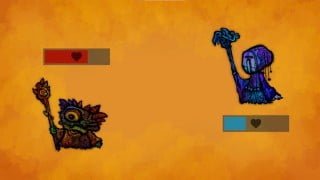
We will learn how to develop turn-based combat game with animations.
VIdeo games are super popular, so why wouldn’t we develop one?
This class will cover 3 main topics:
1. Player controller – basic game logic – setup and code,
2. Animations – adding animations – animator controller,
3. UI – dialogue window, buttons and health bar.
We will learn how to setup game controller in Unity, including animations, how to write code for it and how to add user interface to the game.
With this knowledge you will be able to start developing your own games.
You can also join my discord server to connect with other students and share your work:
Join our discord server to share your work and connect with community – link under every lesson.
So, if you are willing to learn Unity fundamentals and start game development journey, welcome to my class. If you like this class, please leave a review, it really helps me and it is very appreciated. 🙂
Download class assets – links under every lesson.
Software required to participate in this class: Unity 3D and Visual Studio, both available for free.
Who this course is for:
- Beginner game developers curious about mobile game development
User Reviews
Be the first to review “Create Your First Game with Unity Engine and C#”
You must be logged in to post a review.




There are no reviews yet.