
Creating a Bespoke Raspberry Pi 4 web app OS using Yocto
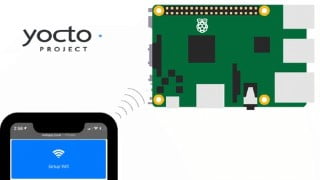

Learn how to create a bespoke operating system using Yocto for Raspberry Pi 4. This course is perfect for intermediate to advanced developers or hobbyists who want to build a minimum viable product or proof of concept web app. Set up your Yocto Build Server in Virtual Box and go through 5 builds to create a web app with various features. Connect to WiFi, reboot or shutdown your Pi, and log activities via a web app. Start building your MVP today!
What you’ll learn
- Creating a Bespoke Raspberry Pi 4 web app Operating System using Yocto
- Building a Yocto Build Server in Virtual Box.
This course is for anyone who wants to create a minimum viable product (MVP) using a Raspberry pi 4 hardware and the Yocto Project. If you have a web app already or need to figure out everything else such as: Connecting to a wifi without SSH , Shutting down or Rebooting your Pi , and Logging your activities via a web app, then this is the course for you.
We will go through two Phases. In Phase I we will set up your Yocto Build Sever in Virtual Box. After this Phase you will be able to boot from your Raspberry pi 4 and connect to it via SSH. In Phase II, we will go through 5 builds to get you from Hello World webapp to the final Web app that has the following features:
Connect to “Webapp” Adhoc Network
Setup Wifi
Scan WIfi
Connect to Wifi & Enable Wifi Auto Start
Configure system to remove Adhoc Settings
Reset Wifi Back to Adhoc mode
Remove Wifi Configurations / Auto Start
Reboot
Shutdown
View Logs
Toggle Debug Mode
Who this course is for:
- Intermediate to Advance developers or hobbyist who want to create their own bespoke operating system using Yocto for Raspberry Pi 4.
- Anyone who wants to show a proof of concept web app or a minimum viable product using a Raspberry Pi.
User Reviews
Be the first to review “Creating a Bespoke Raspberry Pi 4 web app OS using Yocto”
You must be logged in to post a review.





There are no reviews yet.