
Develop Combat Game for 2 Players in 45 Minutes
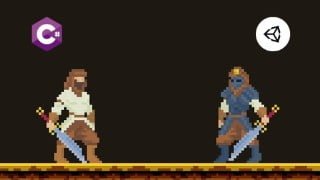

Learn how to develop a 2D combat game using Unity3D engine and C# programming language. Create animations, player controllers, user interfaces, and export your game to any platform. Also, learn how to add gamepads and make multiplayer games. Join this class and start your game development journey today!
What you’ll learn
- Learn how to create animation trees and how to trigger animations
- Learn how to write code for player controller / movement
- Learn how to create simple user interface with added functionality
- Learn how to export your game to any platform you want
- Learn how to add gamepads / joysticks to your game
- Learn how to make multiplayer game
Hi, my name is Domen and today we will learn how to develop 2D combat game!
In this class, I would like to show you how easy it is to develop multiplayer combat game.
Here’s what we will learn:
we will learn about Unity3D engine and how to develop your games with it,
we will learn about programming basics with C# programming language.
I strongly believe that, after finishing this class, you will be able to start your game development journey. You will finally have tools to create games that you always wanted to make. Who knows, maybe you even start your career as professional game developer one day.
Together, we will create simple 2D combat game for 2 players. All the assets from this class are available to download from links provided below each video lesson.
Chapters in this class:
1. Introduction & Preparation
quick introduction,
what we will learn,
how to prepare for this class.
2. Player 1
how to modify prefab,
how to add animations,
how to code/write scripts.
3. Player 2
how to modify prefab,
how to add animations,
how to code/write scripts,
how to connect controllers.
4. Final Touches
how to add user interface,
how to connect UI with scripts,
how to export the game.
For all of my students, I have created Discord server, where you can share your projects, hang out with other students or ask for help, if you have any questions about game development.
Required software to participate in this class: Unity3D. (Free; download link below class introduction)
If you have any questions or problems, I would be happy to help! If you like this class, please leave a review, it really helps me and it is very appreciated. 🙂
I really hope to see you in my class. Domen
Who this course is for:
- Beginner game developers curious to learn and experiment
User Reviews
Be the first to review “Develop Combat Game for 2 Players in 45 Minutes”
You must be logged in to post a review.





There are no reviews yet.